Guides
UTM naming convention, rules and a template to copy
A UTM naming convention is a short written list of allowed values for source, medium and campaign. Rules that keep GA4 reports clean, a template you can copy, and how to apply it to short links.
Updated
A UTM naming convention is a short document that lists which values your team may use in utm_source, utm_medium and utm_campaign, and how to write new ones. Without one, the same newsletter shows up in Google Analytics as newsletter, Newsletter, email and mailchimp, and nobody can add them up.
The convention below is built around GA4's channel rules, so every value on the allowed list lands in a named channel instead of Unassigned.
The rules
- Lowercase only. GA4 reports treat
Emailandemailas different values. - Underscores between words, no spaces. Spaces turn into
%20or+in URLs, and people type them inconsistently. Usespring_sale, notSpring Sale. - Medium is the type of channel, source is the specific site or list.
utm_medium=emailwithutm_source=customers_newsletter, not the other way round. - Medium comes from a fixed list. Nobody invents a new medium without updating the convention.
- Campaign names follow one pattern. For example
yyyy_mm_name, such as2026_11_black_friday. The date prefix keeps campaigns sorted and stopsblack_fridayfrom merging across years. - Placement goes in
utm_content. Use it to tell apart two links in the same message or post, likeheader_buttonandfooter_link, orbioandstory. - No personal data. Never put an email address or name in a UTM value. It ends up in your analytics and in the URL people share.
Allowed values
Copy this table into a shared sheet and change the sources to match the channels you use.
| utm_medium | Use for | Example utm_source values | GA4 channel |
|---|---|---|---|
email | Newsletters, onboarding and transactional email | customers_newsletter, onboarding | |
social | Unpaid posts, bios, stories, DMs, groups | instagram, linkedin, tiktok, whatsapp, youtube | Organic Social |
paid_social | Paid posts and ads on social networks | instagram, facebook, linkedin | Paid Social |
cpc | Paid search ads | google, bing | Paid Search |
sms | Text messages | sms or the provider list name | SMS |
affiliate | Paid creators and partners | the partner's handle or name | Affiliates |
referral | Links on partner sites and directories | the site, such as producthunt | Referral |
display | Banner ads | the ad network | Display |
qr | QR codes on printed material | the placement, such as menu_table | Unassigned, unless you add a custom channel |
For QR codes and print, GA4 has no default channel. Keep qr as the medium and add a custom channel group in GA4. See GA4 Unassigned traffic from UTM links.
Example links
| Placement | utm_source | utm_medium | utm_campaign | utm_content |
|---|---|---|---|---|
| November newsletter, main button | customers_newsletter | email | 2026_11_black_friday | main_button |
| Instagram bio | instagram | social | 2026_11_black_friday | bio |
| Instagram Story, day 2 | instagram | social | 2026_11_black_friday | story_day2 |
| Creator @jane on TikTok | jane | affiliate | 2026_11_black_friday | tiktok_video1 |
| Store window poster | store_window | qr | 2026_11_black_friday | poster_a3 |
All rows share one campaign value, so GA4 can show the whole campaign in one row and break it down by source and content.
Apply it to short links
Give each row its own short link and set the values in the UTM Builder when you create it. The parameters are stored on the short link and added to the destination on every click, so the URL you share stays short and nobody can edit the tags by hand. See Add UTM parameters to a short link.
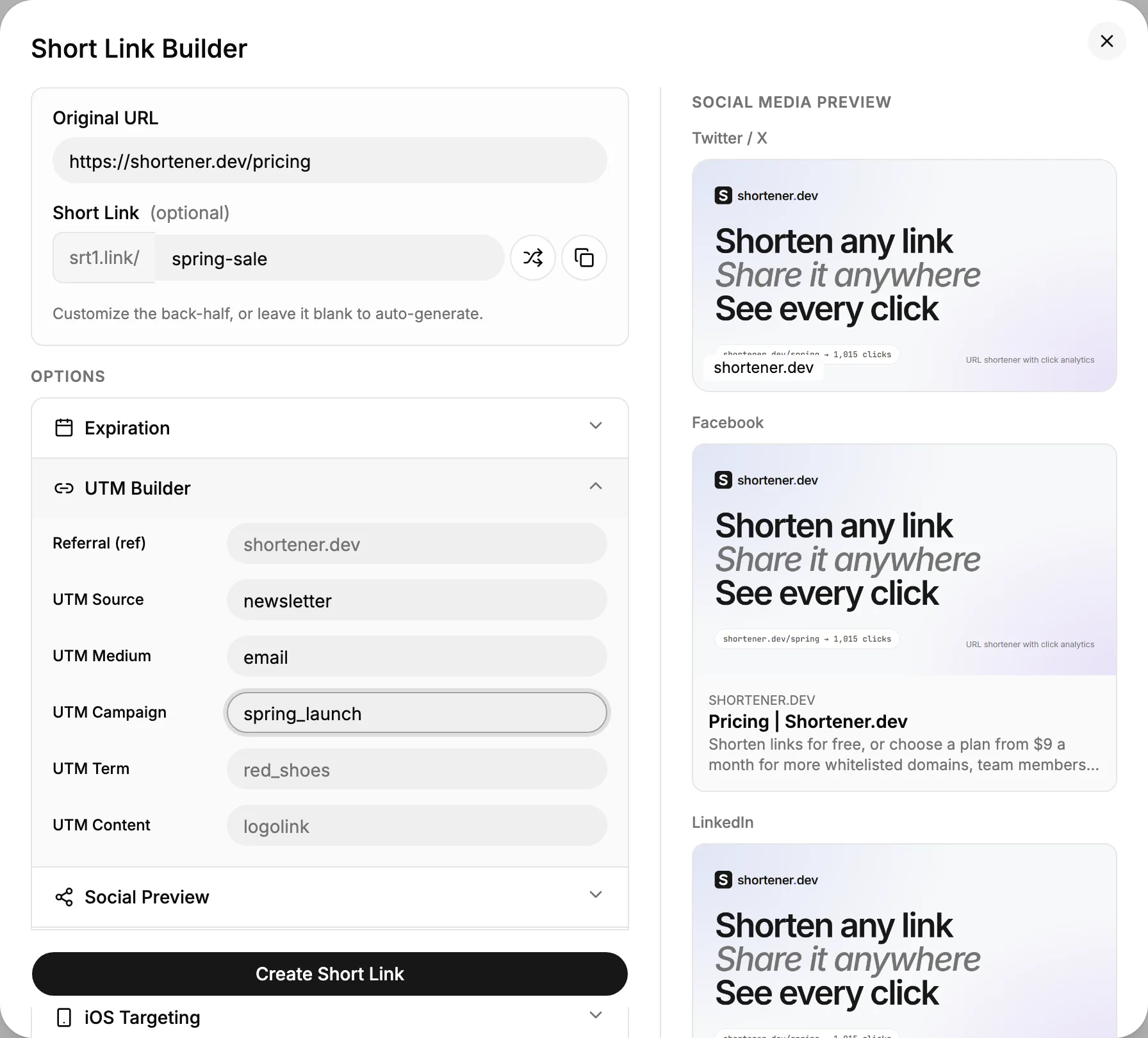
If you create links in bulk from a sheet, put the UTM values in columns and create the links with the API or Google Sheets. The values then come straight from the approved list instead of being typed again.
Check values automatically
When links are created by a script, check each value against the convention before creating anything. This Python function rejects values that break the rules above:
import re

ALLOWED_MEDIUMS = {"email", "social", "paid_social", "cpc", "sms", "affiliate", "referral", "display", "qr"}
VALUE = re.compile(r"^[a-z0-9]+(_[a-z0-9]+)*$")
CAMPAIGN = re.compile(r"^\d{4}_\d{2}_[a-z0-9_]+$")

def check_utm(params: dict) -> list[str]:
    errors = []
    for name in ("utm_source", "utm_medium", "utm_campaign"):
        if not params.get(name):
            errors.append(f"{name} is missing")
    for name, value in params.items():
        if name.startswith("utm_") and value and not VALUE.match(value):
            errors.append(f"{name}={value!r}: use lowercase letters, digits and underscores")
    if params.get("utm_medium") and params["utm_medium"] not in ALLOWED_MEDIUMS:
        errors.append(f"utm_medium={params['utm_medium']!r} is not on the allowed list")
    if params.get("utm_campaign") and not CAMPAIGN.match(params["utm_campaign"]):
        errors.append(f"utm_campaign={params['utm_campaign']!r} should look like 2026_11_name")
    return errors

print(check_utm({"utm_source": "Instagram", "utm_medium": "bio", "utm_campaign": "black friday"}))
Keep the convention alive
- Keep the allowed values in one shared sheet and link to it from wherever people create links.
- Name an owner who approves new sources and mediums.
- Once a month, look at Session source / medium in GA4 for values that aren't on the list, and fix the links that produced them.
Frequently asked questions
Should I use utm_source or utm_medium for the platform name?
Source. The medium is the type of channel, such as social or email. The platform, like instagram or linkedin, goes in utm_source.
Do I need utm_term and utm_content?
utm_content is worth using whenever one campaign has several links in the same place, so you can compare them. utm_term was made for paid search keywords and is rarely needed on other links.
Can I add UTM parameters to a short link after sharing it?
Yes. Edit the short link and fill in the UTM Builder. Every click after the change gets the new values, including clicks on QR codes already printed.