Analytics
Why clicks from social media show as Direct
Why clicks from Instagram, TikTok, WhatsApp and other apps show as Direct in the Referers report and in Google Analytics, and how short links and UTM parameters tell you where they came from.
Updated
You post a link on Instagram, get a few hundred clicks, and the Referers report shows most of them as Direct. Nothing is broken. The click reached your short link without a referrer, so there is no site to list it under.
Where the referrer goes missing
When someone clicks a link in a web page, the browser usually tells the next page where the visitor came from. That's the Referer header. Apps don't always send it:
- In-app browsers. Instagram, TikTok, Facebook, LinkedIn and X open links inside their own app. These browsers often send no referrer, or only the network's redirect domain.
- Messaging apps. WhatsApp, Telegram, SMS and email apps hand the link to the phone's browser with no referrer at all.
- Redirects. Some networks pass outbound clicks through their own redirect first. The referrer then shows that redirect, such as
t.cofor X,l.facebook.comorl.instagram.comfor Meta, oryoutube.comfor YouTube descriptions. - Typed links. A link someone types from a caption, a video or a poster has no referrer either.
Google Analytics runs into the same problem. A visit without a referrer or UTM parameters is filed under Direct, which is why Instagram traffic often shows up there.
What the reports still show
Even without a referrer, the other columns of each click are recorded. The Browsers report recognizes the in-app browsers of Instagram, Facebook, TikTok, LinkedIn, Snapchat and X (listed as Twitter), so clicks from those apps usually show up under the app's name there.
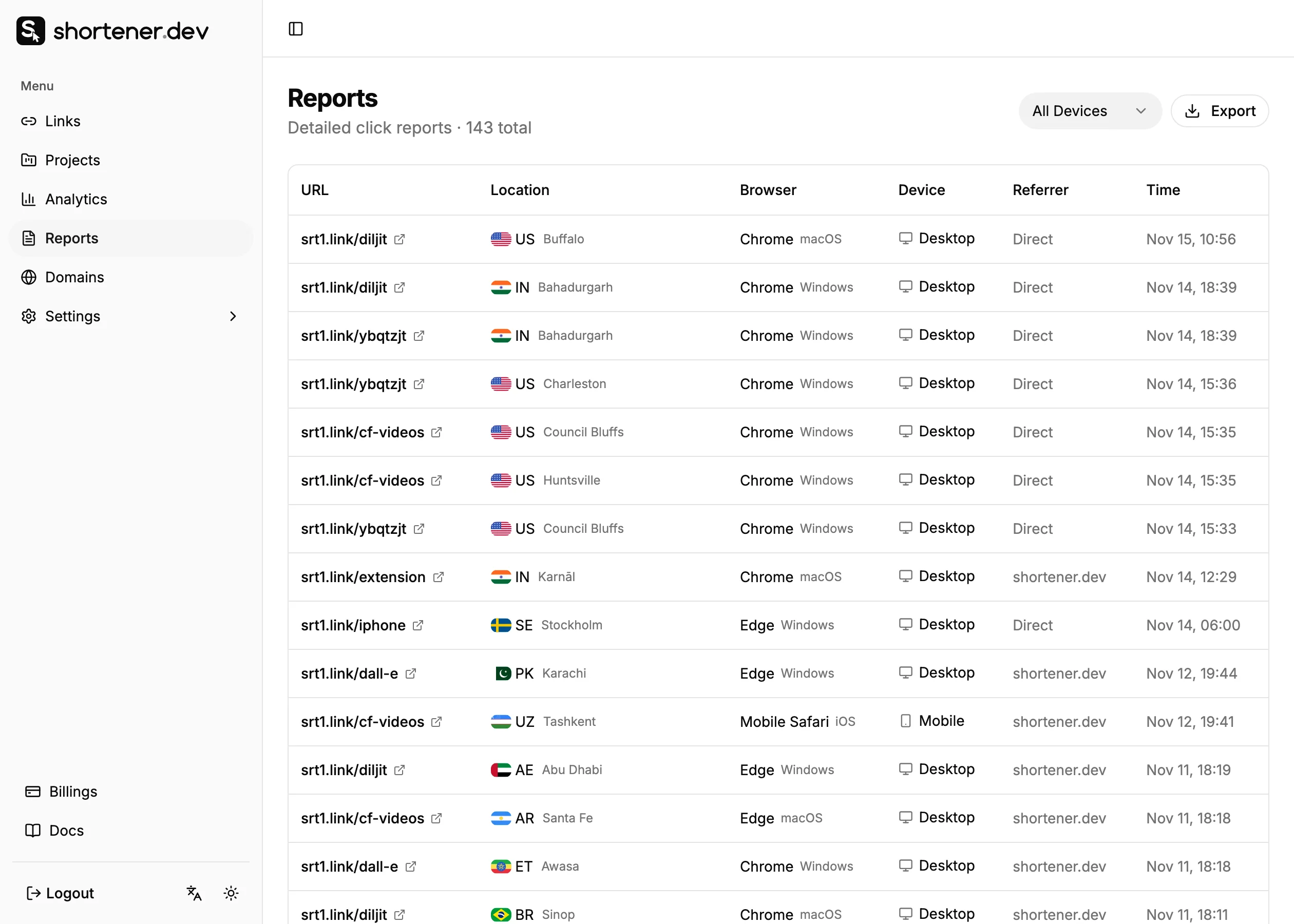
In Reports, a click from the Instagram app looks like a mobile click with Instagram as the browser and Direct as the referrer.
Tell the clicks apart
The reliable fix is to stop depending on the referrer:
- Use a separate short link for each network and placement, such as
ig-bioandwa-group-vip. The back-half says where the click came from, whatever the referrer report shows. See Social media link tracking. - Add UTM parameters to each link. Google Analytics reads
utm_sourceandutm_mediumfrom the landing page URL, so the visit is filed under the right source and channel instead of Direct.
Use lowercase values and stick to one name per network. instagram and Instagram show up as two different sources in Google Analytics.
Frequently asked questions
Why are some clicks Direct even with a short link?
The short link counts the click, but it can't create a referrer the app didn't send. The back-half and UTM parameters on the link carry the source instead.
Are link previews counted as Direct clicks?
No. When you paste a link, the app's crawler fetches it to build the preview card. Requests from known crawlers and bots are not counted in click analytics.
Does the same happen in Google Analytics?
Yes. Without a referrer or UTM parameters, Google Analytics files the visit as Direct. Add UTM parameters with the UTM Builder and the visit gets the source and medium you set.