Short links
Create a QR code for a short link
Turn any short link into a QR code in the Shortener.dev dashboard, choose its size and colors, and download it as PNG or SVG. Track scans and change the destination after printing.
Every short link in your account can be turned into a QR code. Because the code holds the short link, such as srt1.link/spring-menu, and not the final URL, every scan is counted in click analytics, and you can change the destination later without reprinting anything.
Open the QR code of a link
Open Links in the sidebar, then use either of these:
- Click the QR icon next to the copy icon on the short link.
- Click the ... menu at the end of the row and choose QR Code.
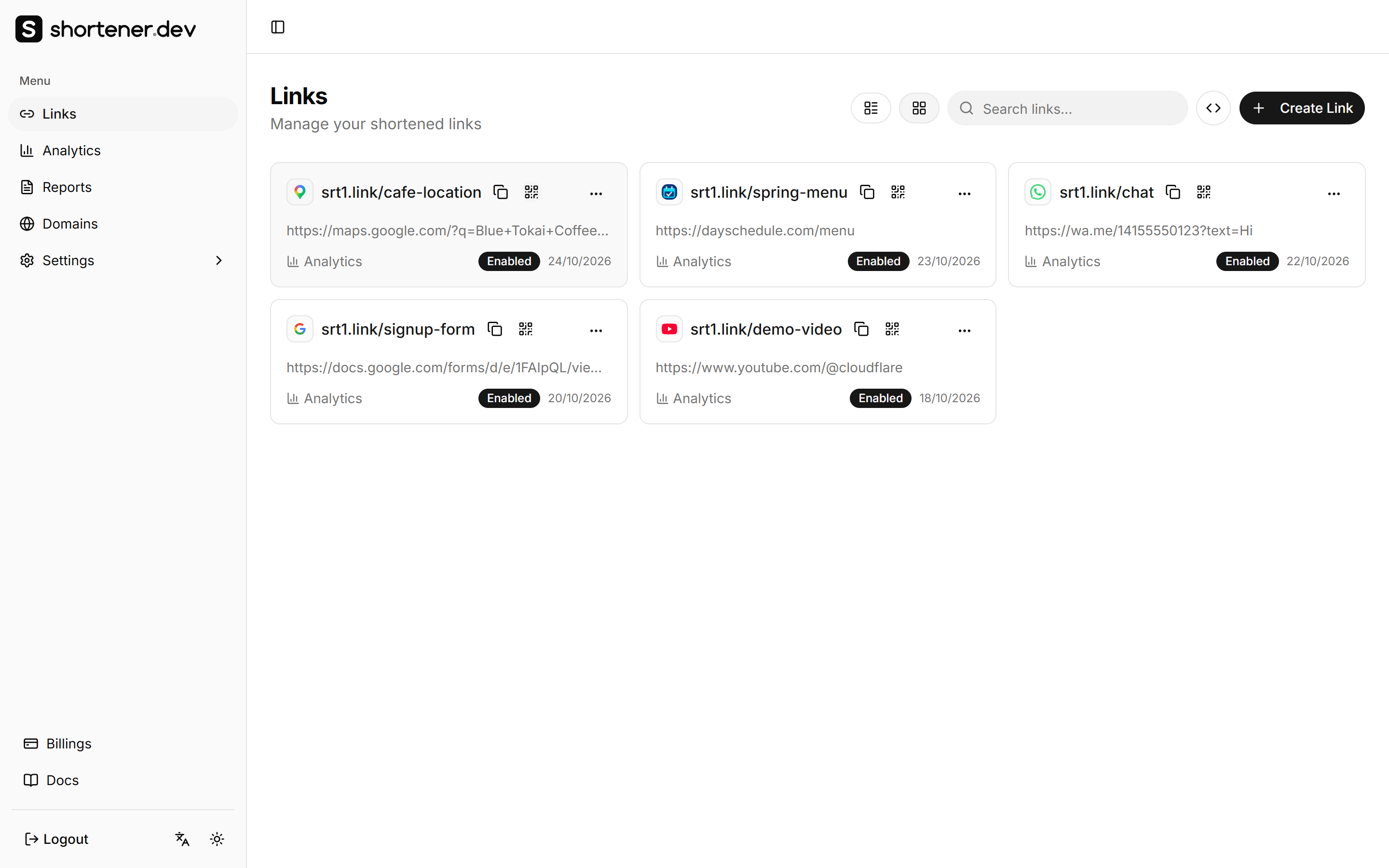
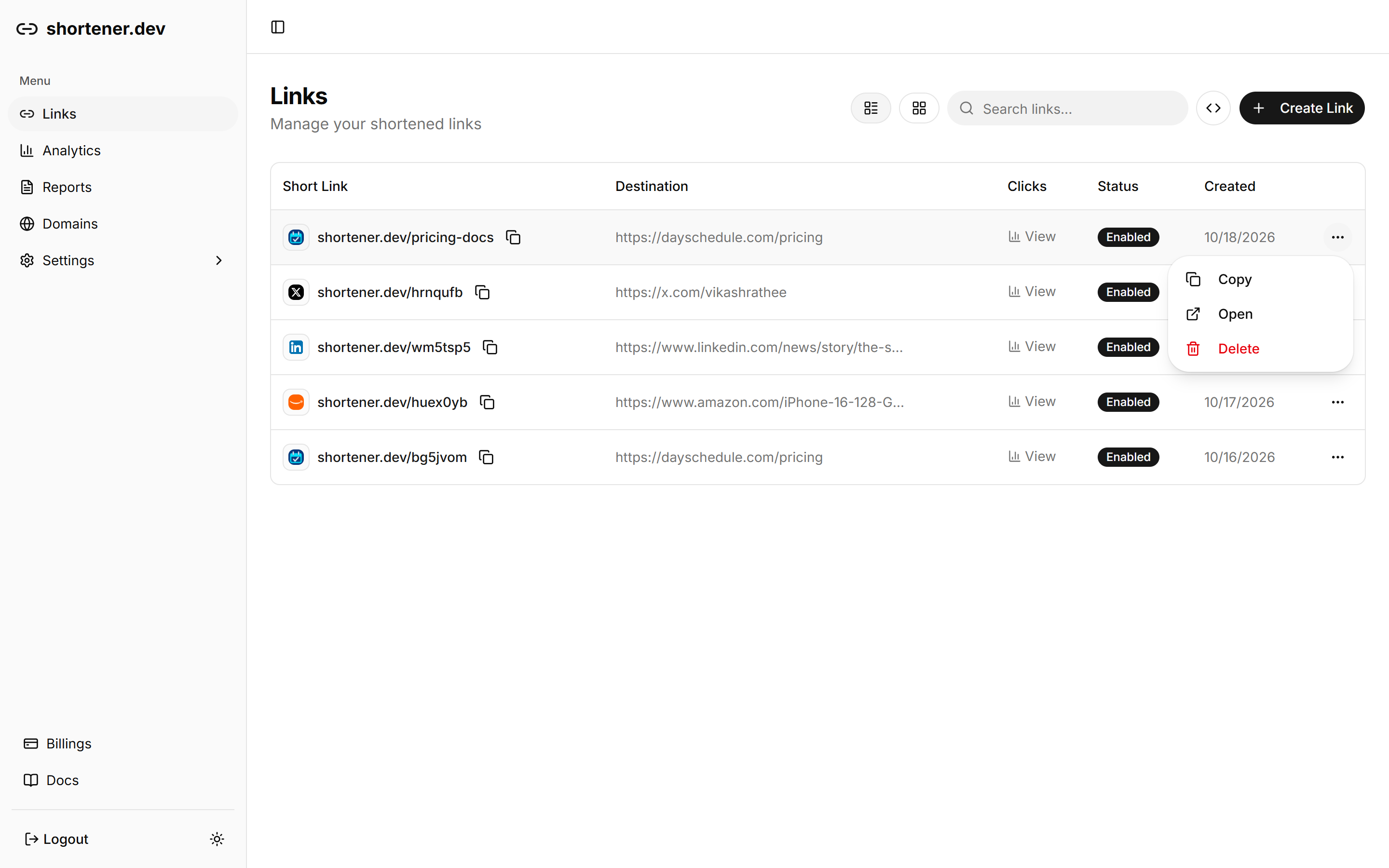
Both work in list view and grid view. The QR Code dialog opens with a preview of the code for the full short URL, for example https://srt1.link/spring-menu.
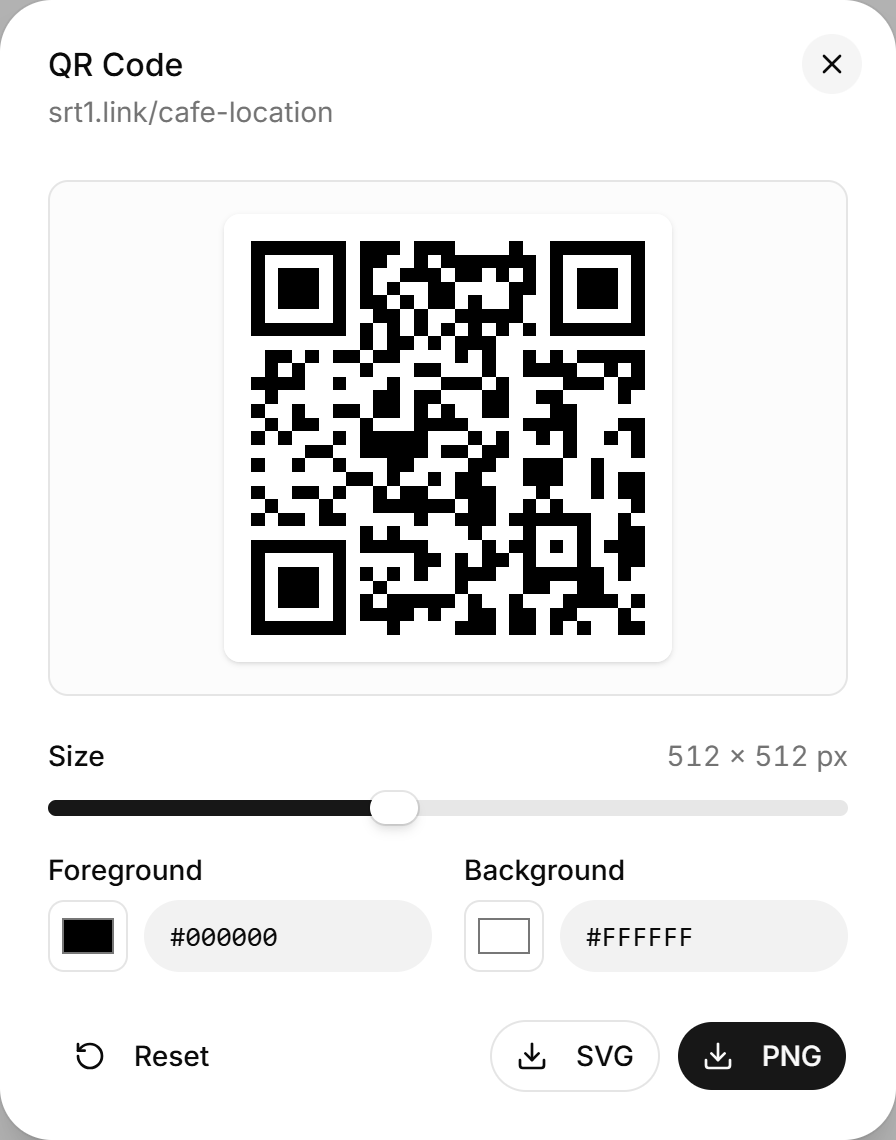
Choose the size and colors
- Size sets the width and height of the downloaded image, from 128 to 1024 pixels. The default is 512. The preview stays the same size on screen.
- Foreground is the color of the dark squares, and Background is the color behind them. Pick a color with the color swatch, or type a hex value such as
#1E3A8A. - Reset sets the size and both colors back to the defaults.
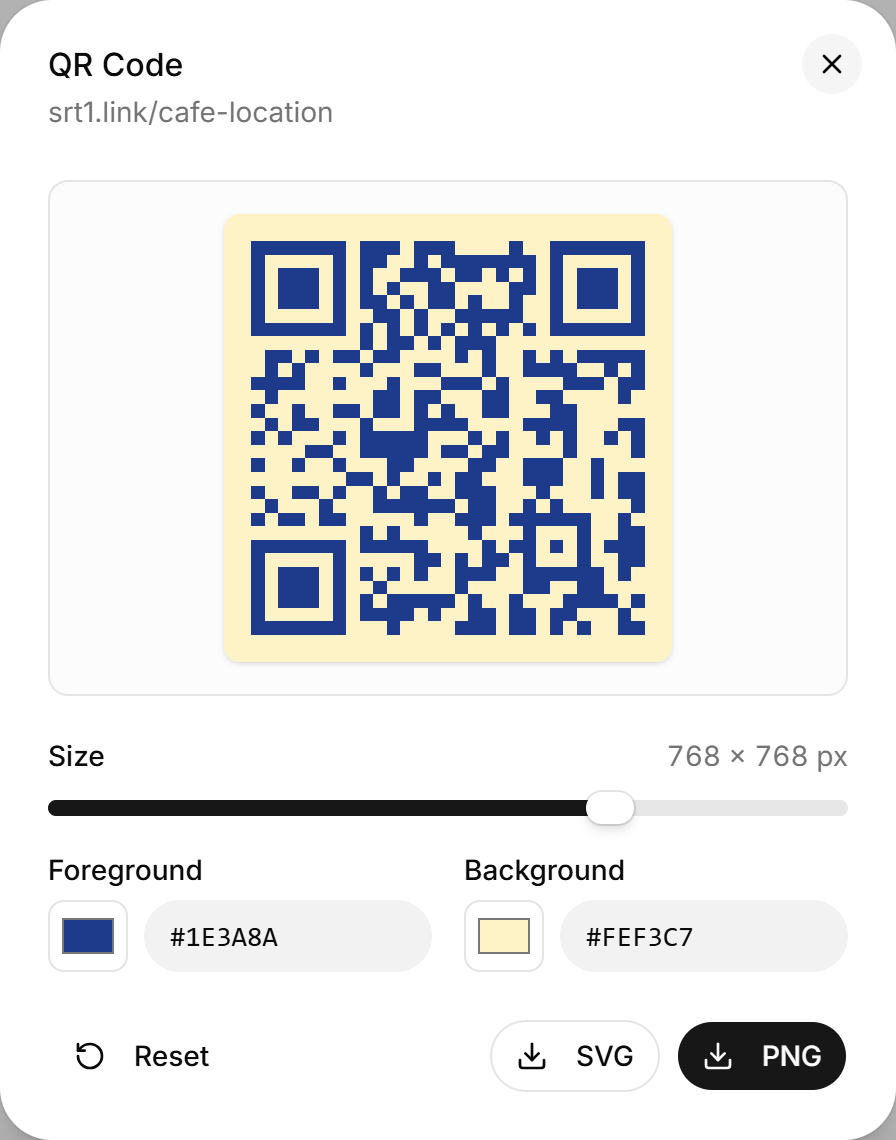
Keep the foreground dark and the background light. Light squares on a dark background, or two colors close to each other, can fail to scan on some phones. Scan the preview with your own phone before you print.
Download the QR code
- PNG downloads an image at the size you chose, named after the back-half, such as
qr-spring-menu.png. Use it on websites, in slides, emails and messages. - SVG downloads a vector file, such as
qr-spring-menu.svg. Use it for print, like flyers, menus, packaging and banners, because it stays sharp at any size.
Every QR code includes a quiet zone, a blank border around the code that scanners need. Don't crop it.
Change where a printed QR code goes
The QR code only holds the short link, so whatever the short link does, the code does:
- Turn the link off and on, or set an expiration date so the code stops working after an event or offer.
- Send scans from different countries to different pages with geo targeting.
- Send iPhone and Android scans to your app with iOS and Android targeting.
- Add UTM parameters such as
utm_medium=qrso your web analytics can tell scans apart from clicks.
If you delete the short link, the QR code stops working. See Delete a short link.
Common QR code examples
Shorten the link first, then open its QR code:
| What the QR code opens | Example destination |
|---|---|
| Your shop on Google Maps | https://maps.google.com/?q=Your+Shop,+City |
| A WhatsApp chat | https://wa.me/14155550123?text=Hi |
| A Google Form or survey | https://docs.google.com/forms/d/e/.../viewform |
| A YouTube video or channel | https://www.youtube.com/watch?v=... |
| Your Instagram or LinkedIn profile | https://www.instagram.com/your-profile/ |
These domains are on the global whitelist, so the links work without verifying a domain. Short share links such as maps.app.goo.gl and forms.gle are not, because they are link shorteners themselves. Use the full maps.google.com or docs.google.com URL instead.
Make a QR code without an account
The free QR code generator on Shortener.dev makes a QR code for any URL with the same size, color, PNG and SVG options. There are also versions for Google Maps, Google reviews and WhatsApp. Shorten the URL on the same page when you want to count scans.