Guides
How to shorten a URL for free, on the web, your phone and with the API
Paste the URL, click Shorten, copy the short link. Step by step on the web, on iPhone and Android, from the browser toolbar and with a script, plus custom back-halves and UTM links.
Updated
Paste the long URL into the box on the Shortener.dev home page, click Shorten, and sign in with Google or your email. The short link, such as srt1.link/k3x9q2m, is created in your account with click tracking, and you can copy it straight away.
The Free plan includes 50 short links, click analytics for the last 7 days, a QR code for every link and all link options. Free links don't expire and don't show ads. See Plans and limits.
On the web
- Go to shortener.dev and paste the URL into URL to shorten, including
https://. - Click Shorten.
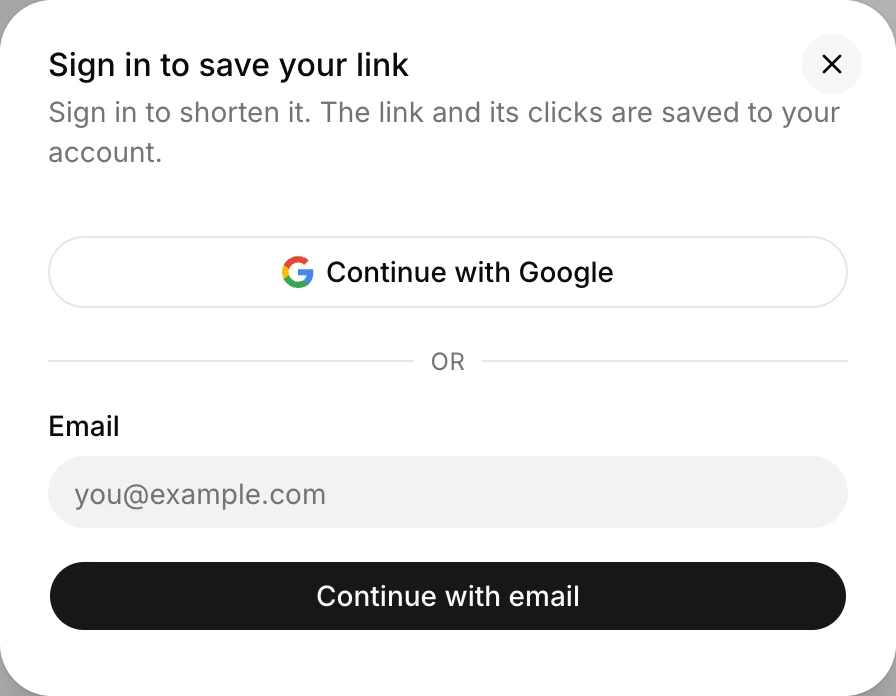
- The first time, a dialog asks you to sign in. Choose Continue with Google or Continue with email. The link and its clicks are saved to your account.
- Copy the short link.
Once you have an account, create links from Links in the dashboard with Create Link. The Short Link Builder lets you choose the back-half and add options before saving. See Create a short link.
Pick your own back-half
The back-half is the part after srt1.link/. Leave it empty for a random 7-character one, or type a name people will recognize, like spring-sale:
- Letters, numbers and hyphens, up to 32 characters.
- Always lowercase.
Spring Salebecomesspring-sale. - Each back-half can only be used once across Shortener.dev, so common words may already be taken.
A readable back-half gets more trust in messages and is easier to type from a poster or a video.
On iPhone and Android
There's no app to install. Open app.shortener.dev in Safari or Chrome on your phone, sign in, and use Create Link the same way as on a computer. Tap the copy icon next to the new short link and paste it into Instagram, WhatsApp or wherever you're sharing it.
To get back to it quickly, add the page to your home screen. In Safari, tap the share button and choose Add to Home Screen. In Chrome on Android, open the menu and choose Add to Home screen.
From the browser toolbar
The browser extension for Chrome, Edge, Brave and Firefox shortens the page you're on. Click the toolbar icon, then Shorten link, and the short link is copied to your clipboard. It's the quickest option if you share links from your computer every day.
With the API or a script
On paid plans, you can create links from any script or tool with one request:
curl -X POST https://api.shortener.dev/v1/links \
  -H "Authorization: Bearer $SHORTENER_API_KEY" \
  -H "Content-Type: application/json" \
  -d '{"url": "https://example.com/blog/spring-launch", "key": "spring-launch"}'
The response includes the link in short_url. See Shorten URLs with the API for JavaScript and Python versions, and URL shortener API in Python for bulk creation from a CSV.
To shorten up to 50 links at once without code, use the Bulk URL Shortener.
Shorten a link with UTM parameters
Don't paste a long URL full of utm_ tags and shorten that. Paste the clean page URL, then open Options and fill in the UTM Builder. The parameters are stored on the short link and added to the destination on every click, so the link stays short and the tags can't be edited by whoever shares it. See Add UTM parameters to a short link.
If you already have a tagged URL, shortening it as it is works too. The parameters are part of the destination and reach your page unchanged.
When a URL can't be shortened
Shortener.dev only shortens links to domains you've verified and to popular sites on its whitelist, such as YouTube, Instagram, Amazon and Google Docs. That stops people from using it to hide phishing pages. If you see Domain not verified, either verify the domain or check the other reasons in Why can't I shorten this URL?
Frequently asked questions
Can I shorten a URL without an account?
No. Shortener.dev creates every link in an account so that its clicks can be tracked and so links can be traced if they're abused. Signing up is free, and you can sign in with Google.
Do free short links expire?
No. A short link works until you delete it, disable it or set an expiration date, on every plan including Free.
Is there a limit on clicks?
No. Plans limit how many links you create, not how many clicks they get.
Can I change a short link after creating it?
Yes. Choose Edit in the link's ... menu to change its destination or options. The back-half stays the same. See Change where a short link goes.