Free tool
Instagram link tracker
Instagram tells you how many people tapped a link, not which one worked or what they did next. Give every bio link, Story sticker and DM its own short link and you will know.
- srt1.link/ig-bioEsempio
https://www.youtube.com/@cloudflare
per accorciare link, scegliere il finale e vedere le statistiche dei clic.
What Instagram shows you
What Instagram analytics count, and what they leave out
In Instagram
- Taps on the links in your bio, under profile activity in Insights (professional accounts only)
- Link sticker taps on each Story, for as long as Story insights are available
- Clicks on ads, in Meta Ads Manager
Not in Instagram
- Which of the up to five bio links got the tap
- Clicks on links you sent in DMs, or that creators shared for you
- The country, city and device of the people who tapped
- Visits after the tap, because Instagram opens links in its in-app browser, which often hides the referrer
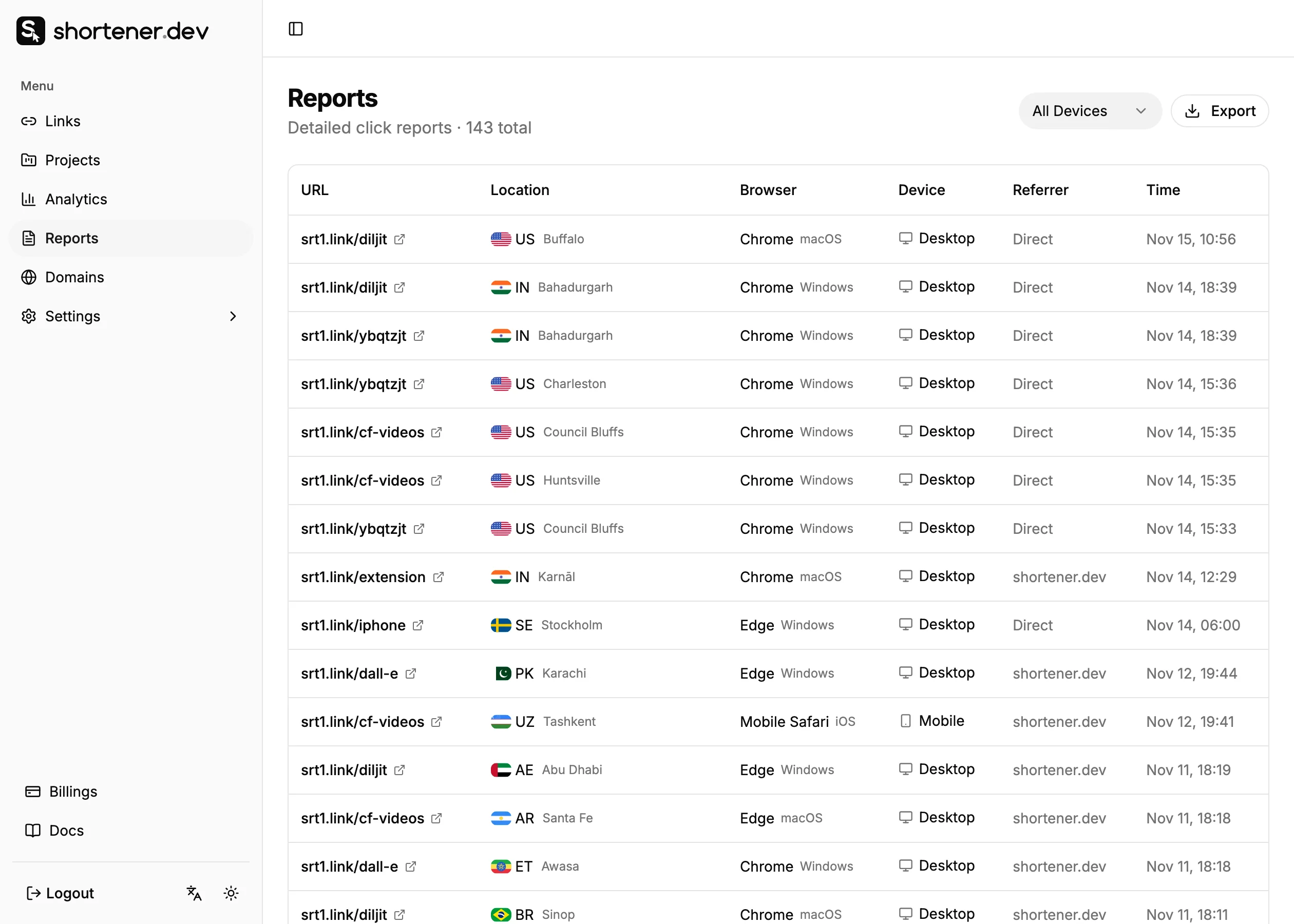
A short link sits between the post and your page, so it sees every click no matter where the link was shared. Each click is recorded with its time, country, city, referrer, browser, operating system and device. Clicks from crawlers that build link previews are left out.
One link per placement
Where you can put a link on Instagram
Create a separate short link for each place below, all pointing to the same page. The click count of each link then answers which placement works, without guessing from referrers.
| Placement | Clickable | Short link | utm_content |
|---|---|---|---|
| Bio links (up to 5) | Yes | srt1.link/ig-bio | bio |
| Story link sticker | Yes | srt1.link/ig-story-1112 | story |
| Story Highlight | Yes, through the saved Story | srt1.link/ig-highlight | highlight |
| Direct messages | Yes | srt1.link/ig-dm | dm |
| Post and Reel captions | No, people have to type it | srt1.link/ig-reel | caption |
| Creator or partner posts | Bio and Stories | srt1.link/ig-anna | creator-anna |
Where a link is not clickable, write a short back-half people can type, all lowercase and without dashes if you can.
Step by step
Set up Instagram link tracking
Create a short link for the first placement
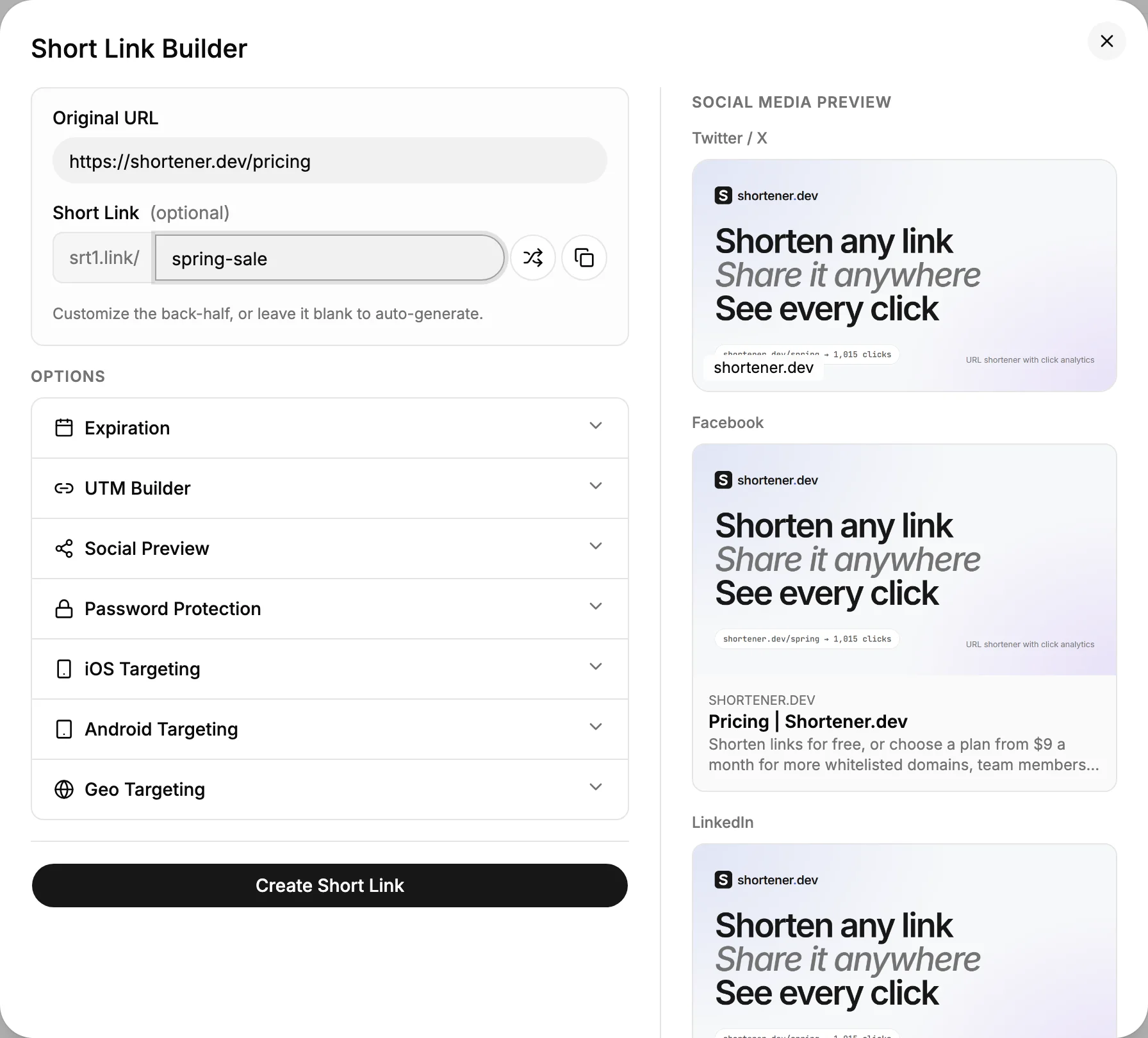
Sign in to the dashboard, open Links and click Create Link. Paste the page you want Instagram visitors to land on into Original URL, and type a back-half such as ig-bio into Short Link.
Links to your own website need a verified domain. Instagram itself and sites like YouTube, Amazon and Google Forms work right away.
Add UTM parameters
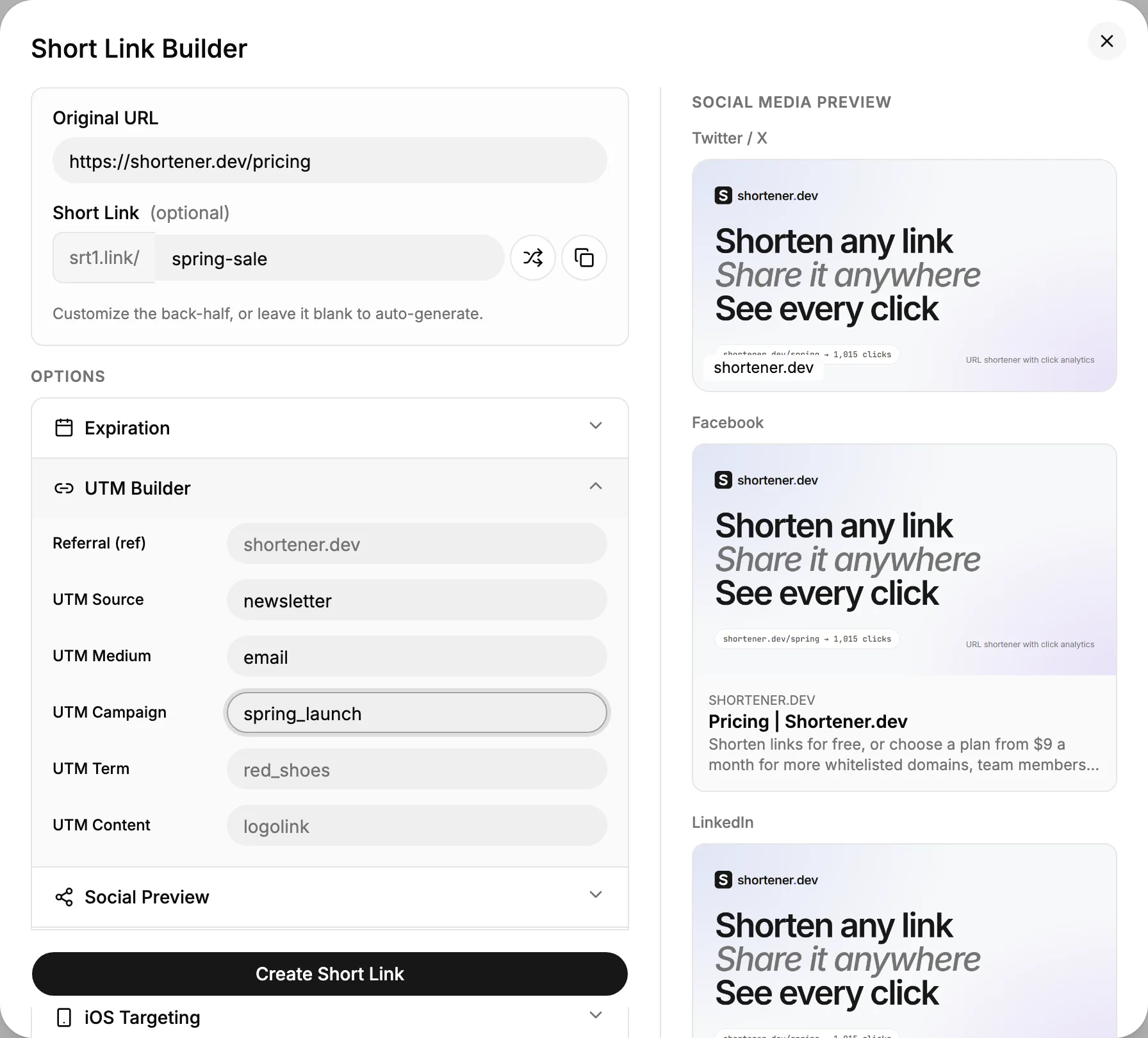
Open Options, click UTM Builder and fill in the source, medium, campaign and content. The short link stays clean, and Google Analytics still receives the full tagged URL.
Use the values in the table below. See UTM parameters for naming tips.
Repeat for every placement and share
Click Create Short Link, copy the link and put it where it belongs on Instagram. Create the next link for the next placement, changing only the back-half and utm_content.
Need it on a poster or packaging too? Every short link has a QR code, and scans are counted on the same link.
Read the clicks
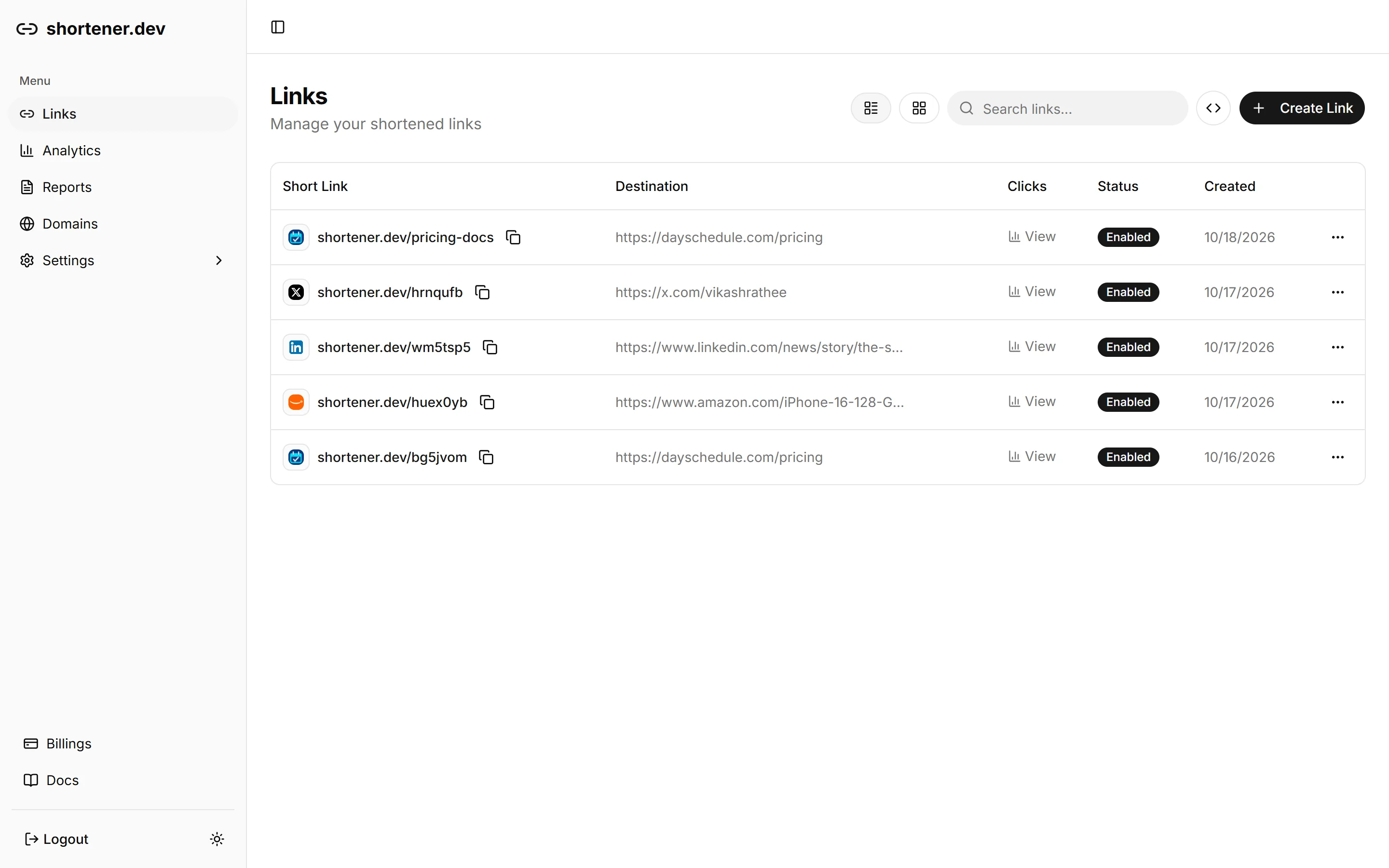
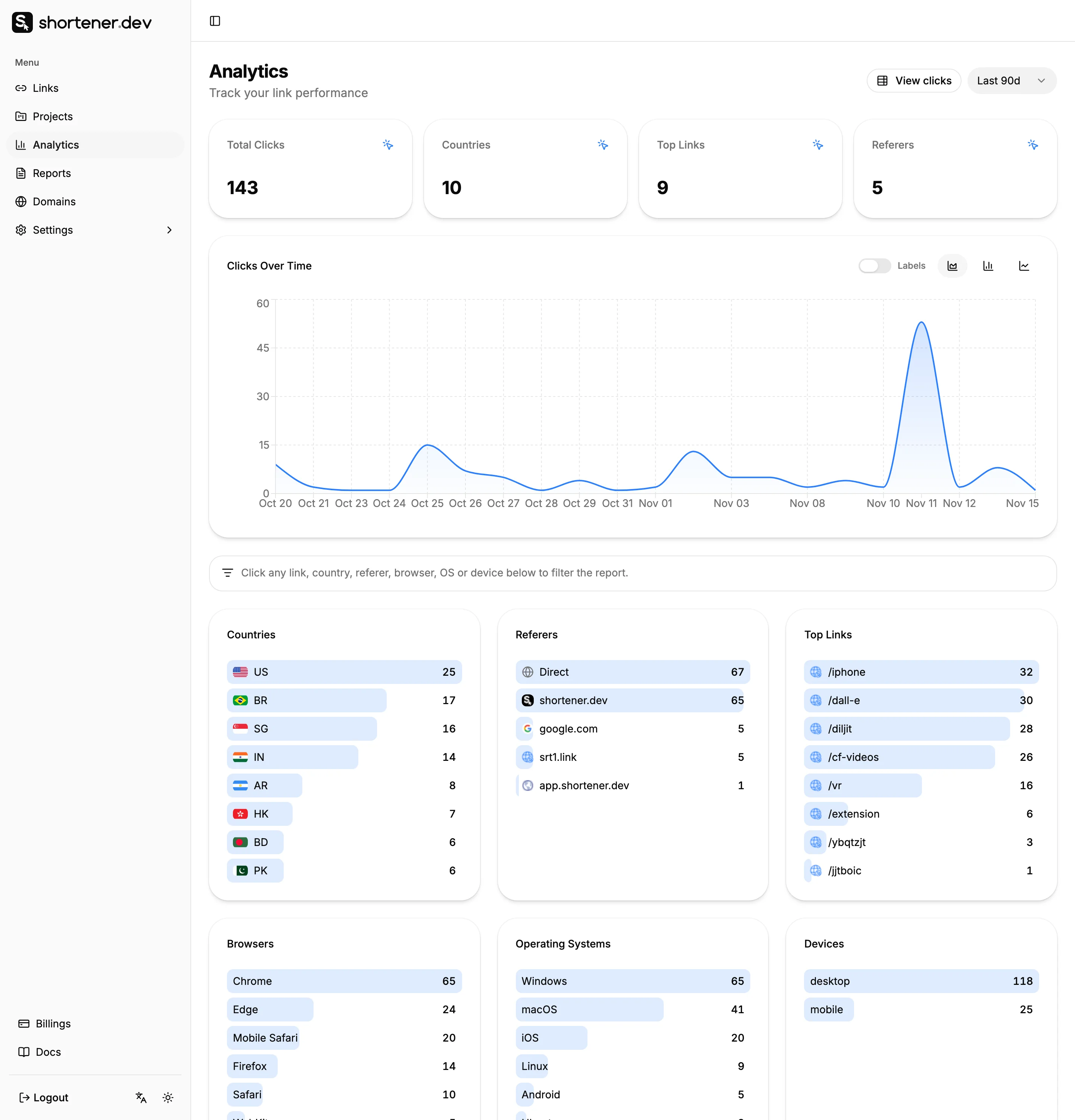
Open Analytics for clicks over time and the top countries, referrers, browsers and devices, for all links or a single one. Reports lists every click with its time, and Export downloads them as CSV.
Compare links on the same day range. A link that was live for a week can't be fairly compared with one that was live for a day.
UTM values
UTM parameters for Instagram
Keep every value lowercase and use the same source on every Instagram link. Google Analytics treats instagram and Instagram as two different sources.
| utm_source | |
| utm_medium | social |
| utm_campaign | autumn_sale |
| utm_content | bio, story, highlight ... |
A visitor who taps srt1.link/ig-bio lands on:
https://example.com/sale?utm_source=instagram&utm_medium=social&utm_campaign=autumn_sale&utm_content=bio
Reading the data
How Instagram clicks show up in your reports
Instagram opens links in its own in-app browser. Our browser report recognizes it, so taps from Instagram usually show up as Instagram under Browsers, even when the referrer is missing.
The referrer itself is often empty or l.instagram.com, the redirect Meta puts in front of outbound links. Clicks with no referrer are filed under Direct, which is why the back-half of each link matters more than the referrer report on Instagram.
More on this in why social media clicks show as Direct.
Tips
Getting more out of Instagram links
Name the Story by date
A back-half like ig-story-1112 tells you months later which Story it came from. Reusing one Story link for every Story mixes them all together.
Captions need a typeable link
Caption links are plain text. Keep the back-half short and lowercase, such as srt1.link/fall, so people can type it into a browser.
One link per creator
Give each creator in a campaign a link of their own, such as ig-anna and ig-raj, and compare clicks instead of asking for screenshots of their insights.
FAQ
Domande frequenti
Can I see who clicked my Instagram link?
Not by name. Neither Instagram nor a link tracker can tell you which account tapped a link. A short link shows each click with its time, country, city, browser, operating system and device, which is enough to compare placements and campaigns.
How do I see link clicks on Instagram?
Professional accounts can see bio link taps under profile activity in Insights and link sticker taps in Story insights. For a count per link, per Story or per creator, use a separate short link in each place and read the clicks in Analytics.
Why does Instagram traffic show as Direct in Google Analytics?
The in-app browser often does not send a referrer, so the visit has no source. Add UTM parameters with the UTM Builder, such as utm_source=instagram and utm_medium=social, and Google Analytics files the visit correctly.
Can I put a clickable link in an Instagram caption?
No. Links in post and Reel captions are not clickable. Put the link in your bio or a Story, or write a short link people can type, such as srt1.link/fall.
Can I track Instagram clicks to my own website?
Yes. Short links work for any page on a domain you have verified in your account. Add your domain under Domains and verify it with an email code or Google Search Console, which takes a couple of minutes. Popular sites such as YouTube, Amazon, Spotify and Google Forms are whitelisted and work without verification.
