Guides
How to check where a short link goes before you click
See the real destination of a srt1.link, bit.ly or TinyURL short link before opening it, with the redirect page, curl or a link expander.
Updated
A short link hides its destination, and that's what makes it useful for phishing. If a short link arrives in a text, a DM or an email you weren't expecting, check where it goes before you open it.
srt1.link links
Open the link. Shortener.dev shows a redirect page with the destination's domain for 2 seconds before it continues. If the domain isn't what you expected, close the tab before the page loads.
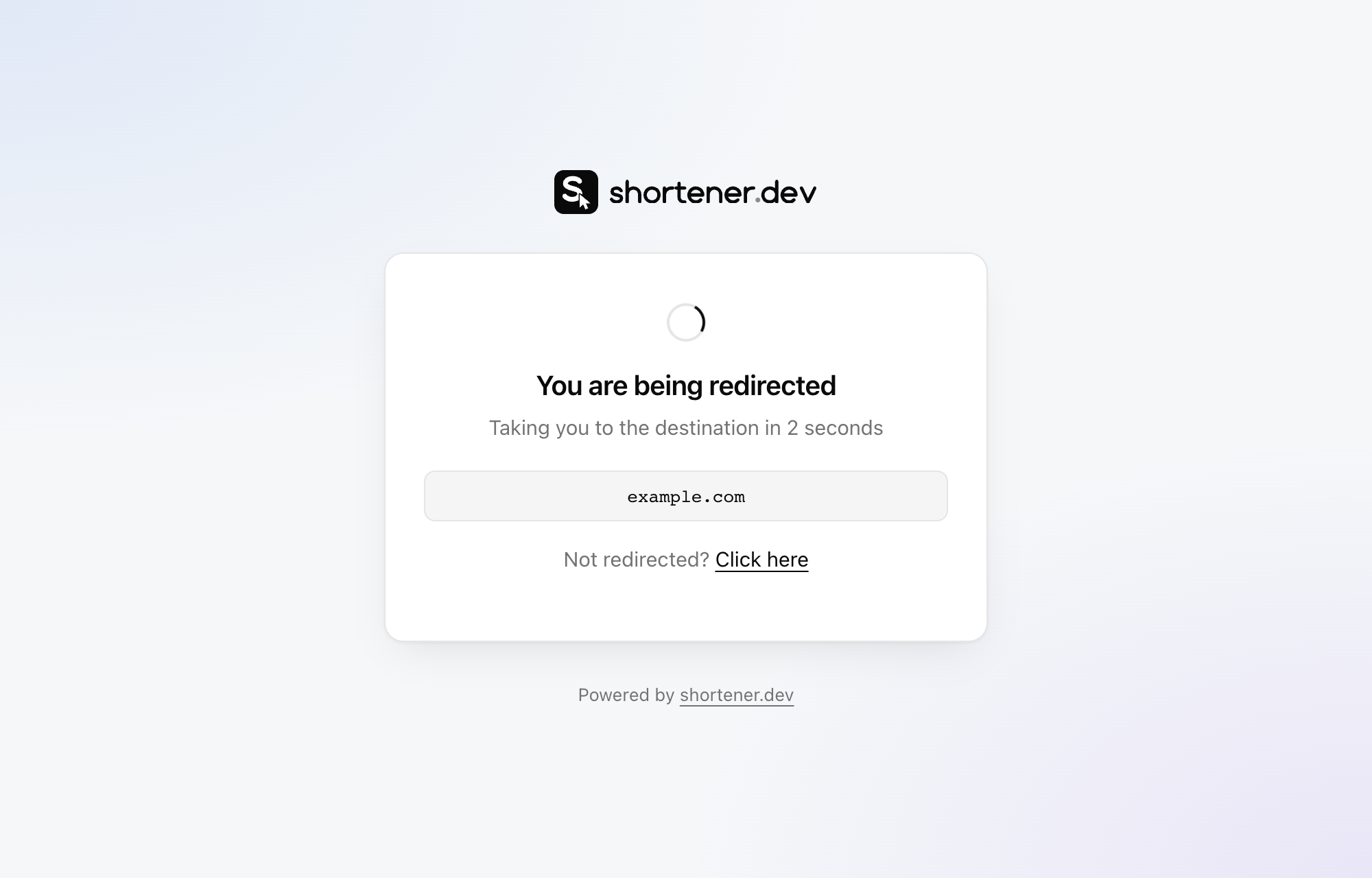
To see the full destination without opening it in a browser, request the link with curl and look for the URL in the refresh tag:
curl -s https://srt1.link/spring-sale | grep -o 'url=[^"]*'
url=https://example.com/spring-sale?utm_source=newsletter
The destination can vary by device and country when a link uses app targeting or geo targeting, so curl shows the destination for your location. A password-protected link asks for the password before it reveals anything.
Every srt1.link destination is on a domain its owner has verified, or on a whitelist of popular sites. If one still looks harmful, report it and it will be reviewed and disabled.
Other shorteners
Most shorteners send a 301 or 302 with the destination in the Location header. You can read it without following the redirect:
curl -sI https://bit.ly/example | grep -i '^location'
Some services also have a preview page. For Bitly, add + to the end of the link, such as bit.ly/example+. For TinyURL, add preview. to the start, such as preview.tinyurl.com/example.
If you don't use a terminal, paste the short link into a link expander website, which follows the redirects and shows each hop.
Check the destination itself
Knowing the domain is the first step. Before you sign in or download anything:
- Read the domain carefully.
paypa1.comandpaypal.com.account-help.netare not PayPal. - Paste the destination into Google Safe Browsing's site status checker or VirusTotal.
- Be suspicious of a destination that is another short link, a file ending in
.zipor.exe, or a free hosting address you don't recognize.
Frequently asked questions
How can I see where a short link goes without clicking it?
Request it with curl -sI and read the Location header, use the shortener's preview page if it has one, or paste it into a link expander. Shortener.dev links show the destination domain on a redirect page for 2 seconds before continuing.
Are srt1.link links safe?
Shortener.dev only creates links to domains whose owners verified them, or to whitelisted popular sites, and blocks domains commonly used for phishing. See Is srt1.link safe?