Chrome and Firefox extension
Shorten the page you are on.
Without leaving it.
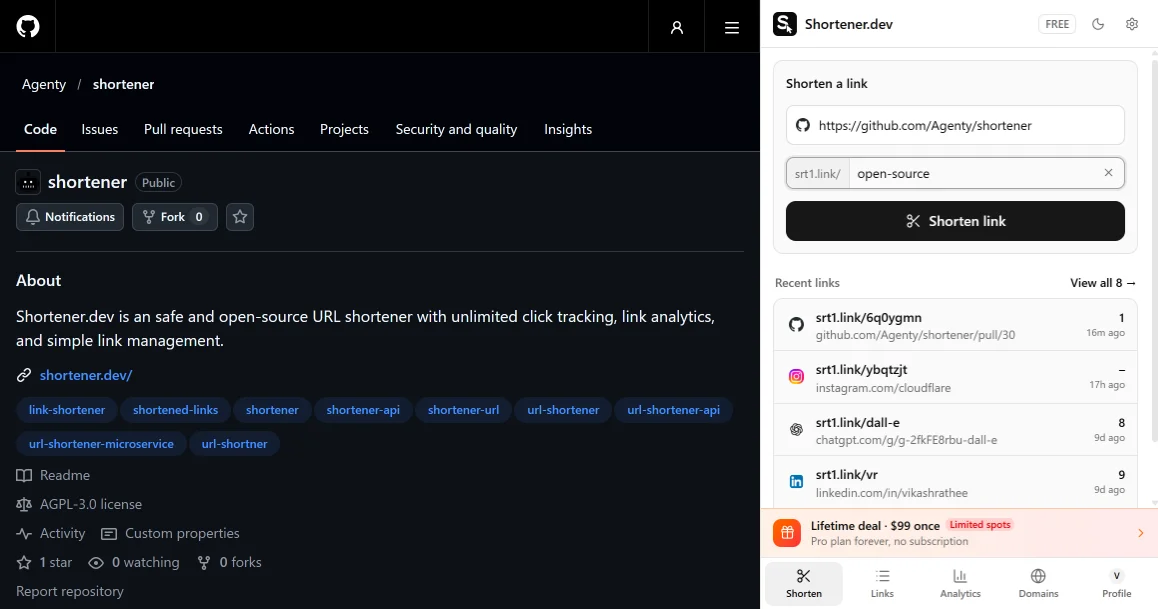
The Shortener.dev extension opens in your browser's side panel. Click the toolbar icon, press Shorten link, and the short link is on your clipboard. Your links and their clicks stay one click away.
Free, works with a free Shortener.dev account. Also runs in Edge, Brave and Opera.
How it works
Three steps, and the first one you only do once.
- 01Add the extension and pin it to the toolbar
- 02Sign in with your Shortener.dev account
- 03Open any page and click Shorten link
One click from the toolbar
The panel opens with the current tab already filled in. Add a back-half like summer-sale if you want one.
Copied before you look for it
The short link goes to your clipboard as soon as it is created, so you can paste it straight into a post or an email.
Right click any link
Shorten this link and Shorten this page sit in the context menu, so you can grab links from search results or a newsletter without opening them.
Clicks next to every link
Recent links show their click count, and every link has its own chart with referrers, countries, devices and browsers.
Your own website
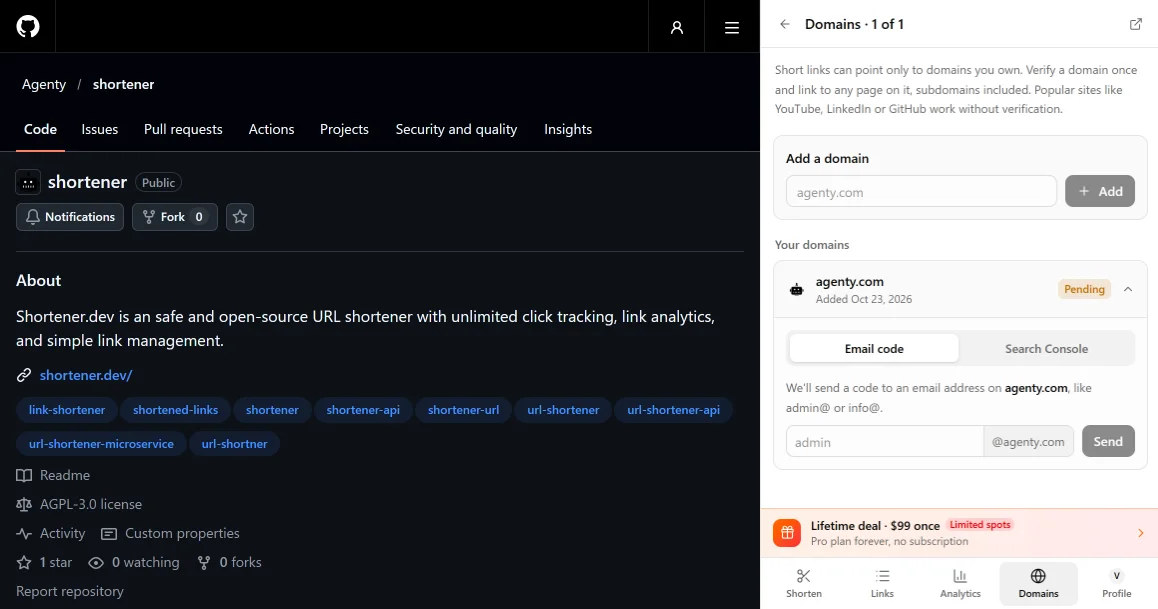
Add your domain and verify it with an email code or Google Search Console without leaving the panel.
Small set of permissions
No access to all sites, no content scripts and no history. The extension sees a tab address only when you open it there.
Links
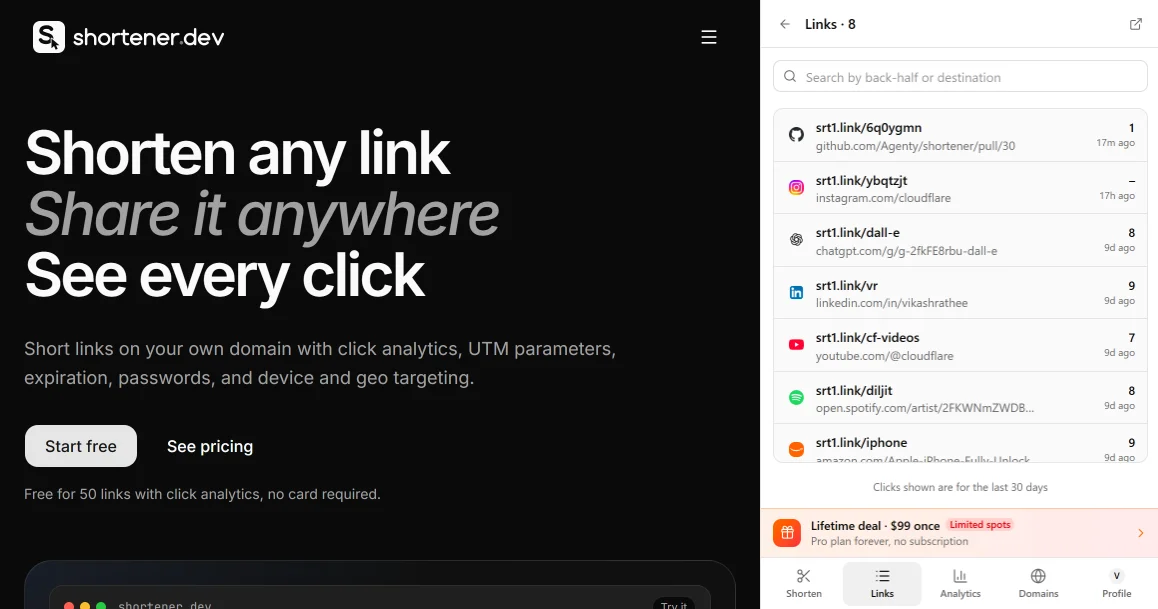
All your short links, beside the page you are reading.
Search by back-half or destination, copy a link again, or open it to see its numbers. Click counts cover the last 30 days.
Analytics
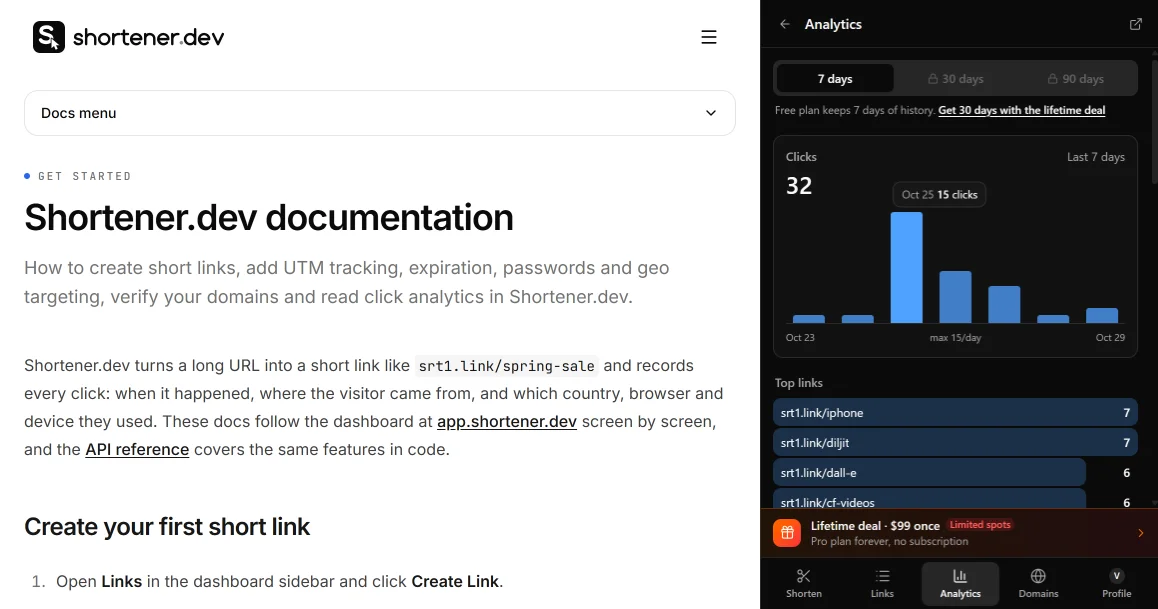
See which link is working without opening a dashboard.
Clicks per day, top links, referrers, countries, devices, browsers and operating systems, for the whole account or one link.
Domains
Verify your website without leaving the page.
Popular sites work right away. For your own domain, send a code to an address on it or connect Google Search Console, then link to any page on it.
Privacy
It only sees the tab you open it on.
The extension asks for four permissions and none of them lets it read pages. It never runs on a website in the background, and the code is on GitHub if you want to check.
- activeTab
- The address of the tab where you open the panel
- storage
- Your sign in token and theme, kept in the browser
- contextMenus
- The two right click menu items
- sidePanel
- Showing the panel (Chrome only)
FAQ
Questions about the extension
Is the Shortener.dev extension free?
Yes. The extension is free, and so is the account you sign in with: 50 short links, 1 domain and 7 days of click analytics. Paid plans raise those limits.
Which browsers does it work in?
Chrome 116 or newer and Firefox 128 or newer. Edge, Brave, Opera and Vivaldi install it from the Chrome Web Store.
Does the extension read my browsing history?
No. It reads the address of a tab only when you open the panel on it or right click a link. It has no content scripts and nothing is sent until you click Shorten link.
Why does it say "Domain not verified"?
Short links can only point to domains on the global whitelist (YouTube, GitHub, LinkedIn and other popular sites) or domains you have verified. Verify your website once from the Domains tab and you can link to any page on it.
Can I add UTM parameters or a password from the extension?
Not yet. The panel covers shortening, links, analytics and domains. Open the link in app.shortener.dev to add UTM tags, expiration, a password or targeting.
Is the extension open source?
Yes. It lives in apps/extension of the Shortener.dev repository on GitHub, under the AGPL-3.0 license.
Step by step guide with screenshots: Shorten links from Chrome and Firefox.