Guides
Track social media link clicks with one link per placement
Count clicks on the links you share on Instagram, TikTok, LinkedIn, YouTube, Facebook, X, Pinterest and WhatsApp by giving every placement its own short link and UTM tags.
Updated
Social networks report likes, views and reach well. They are much worse at telling you which link people clicked and where those people went next. Instagram doesn't split taps between your five bio links, TikTok doesn't say which video made someone tap your bio, and nobody counts the link you pasted into a WhatsApp group.
The fix is simple: create a separate short link for every place you share a link, all pointing to the same page. Each short link counts its own clicks, so comparing placements is a matter of reading the numbers side by side in click analytics.
Plan the links before you post
Write down every place the campaign will appear, then give each one a back-half that says where it lives. A pattern like network-placement-detail stays readable months later:
| Placement | Short link | utm_source | utm_content |
|---|---|---|---|
| Instagram bio | srt1.link/ig-bio | instagram | bio |
| Instagram Story on 12 November | srt1.link/ig-story-1112 | instagram | story |
| TikTok bio, during the launch video | srt1.link/tt-launch | tiktok | bio |
| LinkedIn post | srt1.link/li-post-launch | linkedin | post |
| LinkedIn first comment | srt1.link/li-comment-launch | linkedin | comment |
| YouTube video description | srt1.link/yt-launch-desc | youtube | description |
| WhatsApp customer group | srt1.link/wa-group-vip | whatsapp | group-vip |
Use the same utm_campaign on every row, such as autumn_launch, so Google Analytics can show the whole campaign and break it down by source.
Create the links
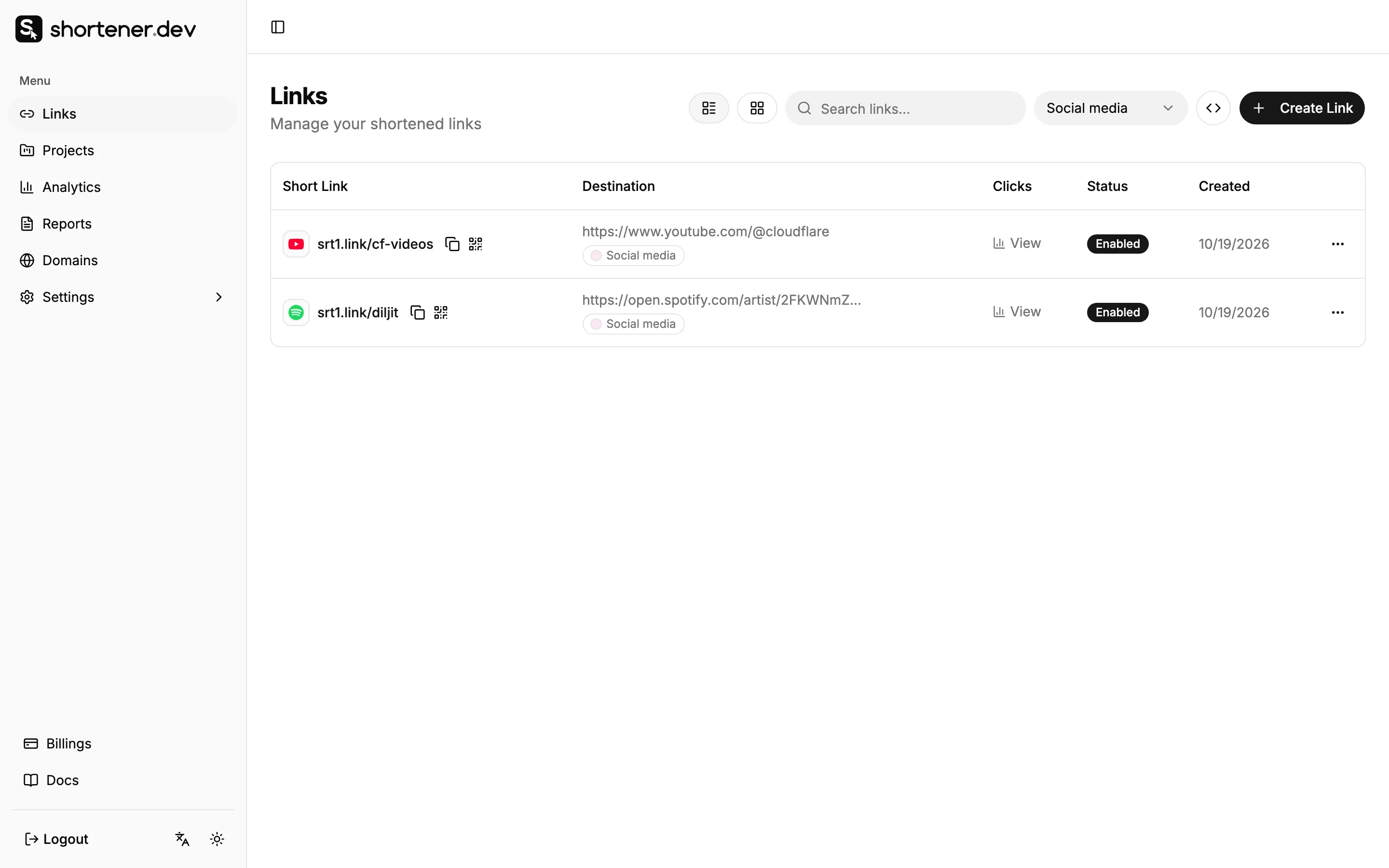
- Open Links and click Create Link.
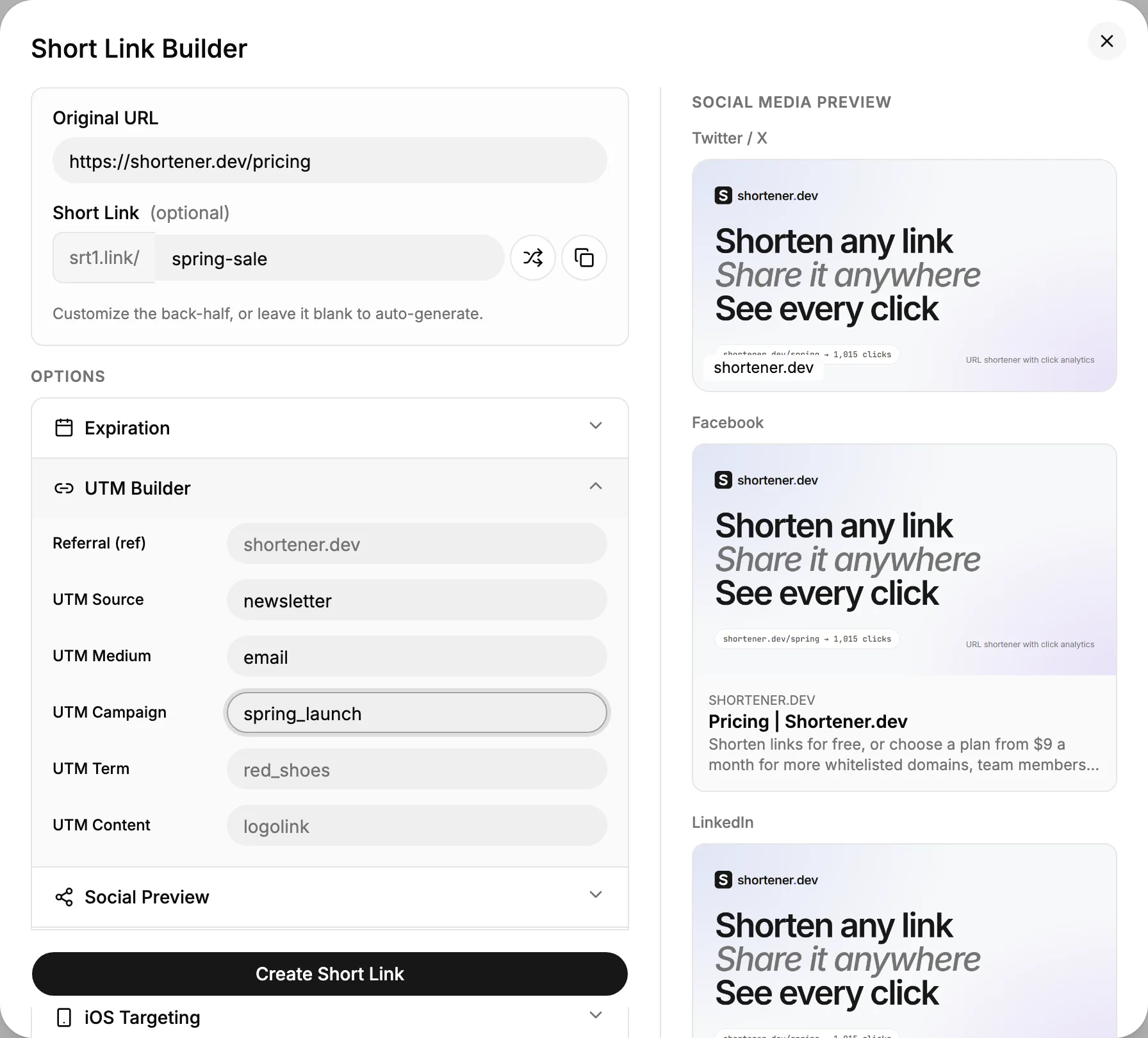
- Paste the landing page into Original URL and type the back-half from your plan into Short Link.
- Open Options, click UTM Builder and fill in UTM Source, UTM Medium, UTM Campaign and UTM Content.
- Click Create Short Link, then repeat for the next row.
Links to your own website need a verified domain. Instagram, TikTok, YouTube, Amazon, Google Forms and other popular sites are whitelisted and work without it.
If you have more than a handful of rows, the bulk URL shortener or the API is faster than the dashboard. Paid plans can also group a campaign's links in a project.
Where each network lets you link
Not every spot on a social network accepts a clickable link. Where it doesn't, a short back-half that people can type, like srt1.link/fall, is the only way to count visits.
| Network | Clickable links | Text only |
|---|---|---|
| Bio, Story link sticker, DMs, ads | Post and Reel captions | |
| TikTok | Bio (once your account can add one), ads | Captions, comments, the video itself |
| Posts, comments, profile, articles, messages | Image text | |
| YouTube | Descriptions, pinned comments, channel links, community posts | Shorts descriptions, the video itself |
| Posts, groups, comments, Messenger, Page info | Image text | |
| X | Posts, replies, bio, DMs | Image text |
| Pin destination, profile website | Pin description | |
| Chats, groups, Status, Channels, business profile |
Each network has its own page with a placement table, UTM values and tips:
- Instagram link tracker
- TikTok link tracker
- LinkedIn link tracker
- YouTube link tracker
- Facebook link tracker
- X (Twitter) link tracker
- Pinterest link tracker
- WhatsApp link tracker
Read the results
Open Analytics and pick each link to see its clicks over time with the top countries, referrers, browsers and devices. Top Links on the all-links view ranks the placements against each other.
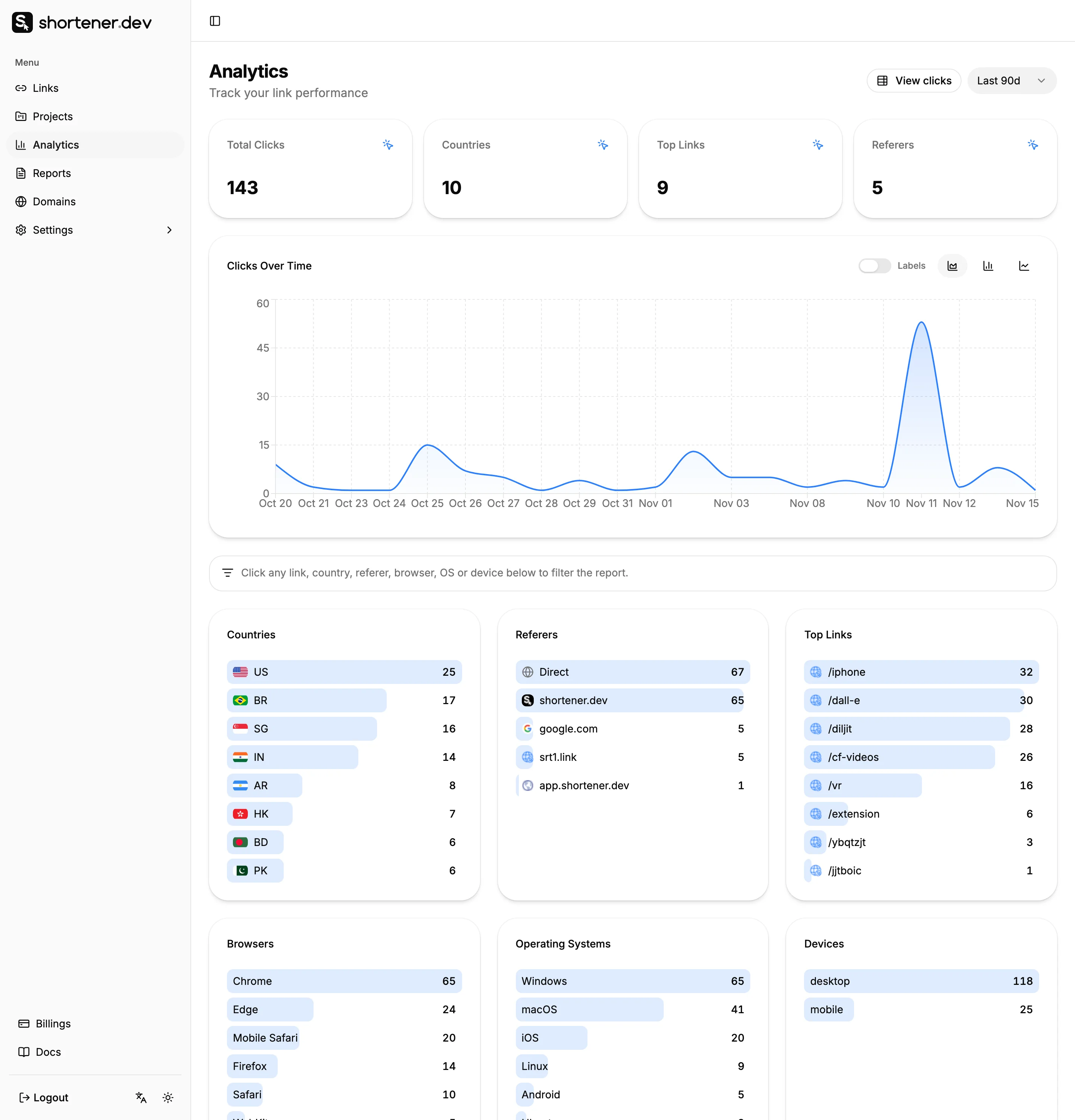
A few things to keep in mind when you compare:
- Compare links over the same days. A bio link that was live all month will beat a Story that was up for 24 hours.
- Don't rely on the Referers report alone. Instagram, TikTok and WhatsApp often send no referrer, so their clicks land under Direct. The back-half already tells you where the click came from. See Why social media clicks show as Direct.
- Previews aren't clicks. When you paste a link, the network's crawler fetches it to build the preview card. Known crawlers and bots are left out of click analytics.
For click-by-click data with exact times, open Reports and click Export. See Click reports.
Rotate the link in a single bio slot
TikTok and X give you one link in the bio, and Instagram shows only the first of your bio links until someone taps to see the rest. To find out which post drove bio clicks, create a new short link, such as tt-0412, each time you post something that sends people to your bio, and swap it in. Clicks on that link during the following days belong mostly to that post.
The old link keeps working after you swap it out, so anyone who saved it still reaches your page.
Frequently asked questions
Can I see who clicked my link on social media?
Not by name or account. Each click is recorded with its time, country, city, referrer, browser, operating system and device, which is enough to compare placements but not to identify a person.
Should I put UTM parameters on the short link or the destination?
Add them with the UTM Builder when you create the link. They're added to the destination URL, so the short link stays clean and Google Analytics still receives them.
Do I need a different link for every post?
For posts you want to measure, yes. One link reused everywhere gives you a total, but no way to tell the placements apart. Create links for the posts that matter and reuse a general link for everything else.
Can I change where a link points after I post it?
Yes, through the API. The short link stays the same, so links in old posts and printed QR codes start sending people to the new page. See Change where a short link goes.