Integrations
Replace goo.gl links after the Google URL Shortener shutdown
Google URL Shortener is shut down. Find the goo.gl links in your site and documents, recover where they pointed, and replace them with Shortener.dev links using a short Node.js script.
Updated
Google stopped creating goo.gl links in 2019, when it also turned off the goo.gl console and API. On August 25, 2025, goo.gl links that weren't getting regular clicks stopped redirecting. Google kept the links that were still in active use, but you can't edit them, see their clicks, or create new ones. See Google's announcement for details.
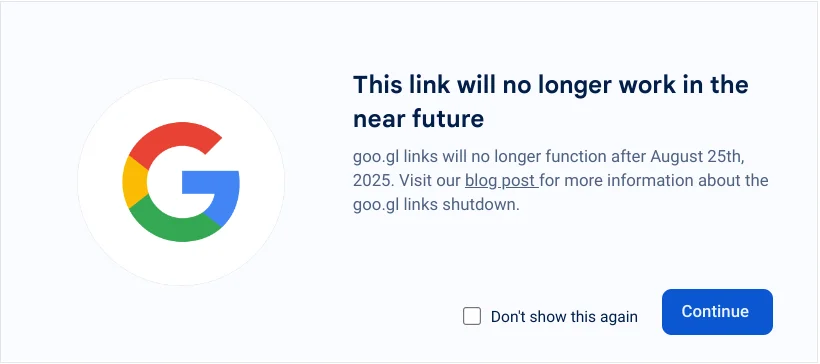
Before the shutdown, visitors to affected links saw this warning page from Google:
This page shows how to find the goo.gl links you've published, look up where each one goes, and create a Shortener.dev link for it. You end up with a CSV that maps every goo.gl link to its new srt1.link link, so you can update your website, documents, email templates and social bios.
Links like maps.app.goo.gl/... that the Google Maps app creates for you aren't part of the shutdown. You can leave those as they are.
What you can and can't move
- You can move any goo.gl link that still redirects. The script reads its destination and creates a new link to the same page.
- You can't take over the
goo.gldomain. Old goo.gl links that are already printed or shared keep going to Google, not Shortener.dev, so replace them wherever you can edit the content. - You can't copy click history. Google removed goo.gl analytics with the console in 2019.
- Dead links that no longer redirect can't be looked up through Google. See Links that no longer work.
Before you start
- A Shortener.dev API key, which is included on paid plans. For 50 links or fewer you can use the free bulk URL shortener instead, once you have the destination URLs.
- Every destination domain verified in Shortener.dev, unless it's a whitelisted site like YouTube or Amazon. Links to unverified domains are listed in the CSV, so you can verify them and run the script again.
- Node.js 18 or later.
- Enough links left on your plan. Each new link counts toward your monthly limit.
Step 1: Find your goo.gl links
Google no longer offers a way to list the links you created, so collect them from the places you published them. If you exported your links from the goo.gl console before 2019, copy the short URLs from that file.
To search a website repository, a docs folder or exported content, run this in that folder:
grep -rhoE 'https?://goo\.gl/[A-Za-z0-9_/-]+' . | sort -u > goo-gl-links.txt
goo-gl-links.txt now has one goo.gl link per line. Also check places that grep can't reach, such as your CMS, email templates, PDFs, YouTube descriptions, app store listings and social profiles, and add any links you find to the same file.
Step 2: Run the migration script
Save this as googl-to-shortener.mjs in the same folder as goo-gl-links.txt:
import { existsSync, readFileSync, writeFileSync } from 'node:fs';

const INPUT = 'goo-gl-links.txt';
const OUTPUT = 'googl-to-shortener.csv';
const SHORTENER = 'https://api.shortener.dev/v1/links';
const headers = {
  Authorization: `Bearer ${process.env.SHORTENER_API_KEY}`,
  'Content-Type': 'application/json',
};
const sleep = (ms) => new Promise((resolve) => setTimeout(resolve, ms));

// Links that worked in an earlier run, so a rerun doesn't create them twice
const done = new Map();
if (existsSync(OUTPUT)) {
  for (const line of readFileSync(OUTPUT, 'utf8').split('\n').slice(1)) {
    const cells = line.slice(1, -1).split('","');
    if (cells[2]) done.set(cells[0], cells);
  }
}

const links = [...new Set(readFileSync(INPUT, 'utf8').split(/\s+/).filter(Boolean))];
console.log(`Found ${links.length} goo.gl links`);

// Follow goo.gl redirects until we reach a page outside goo.gl
async function resolve(link) {
  let current = link;
  for (let hop = 0; hop < 5; hop++) {
    const res = await fetch(current, { redirect: 'manual' }).catch(() => null);
    if (!res) return null;
    const location = res.headers.get('location');
    if (res.status < 300 || res.status >= 400 || !location) return null;
    current = new URL(location, current).href;
    if (new URL(current).hostname !== 'goo.gl') return current;
  }
  return null;
}

const rows = [['googl_link', 'long_url', 'new_link', 'error']];
for (const link of links) {
  if (done.has(link)) {
    rows.push(done.get(link));
    continue;
  }

  const longUrl = await resolve(link);
  if (!longUrl) {
    rows.push([link, '', '', 'Link no longer works']);
    console.log(`${link} no longer works`);
    continue;
  }

  const res = await fetch(SHORTENER, { method: 'POST', headers, body: JSON.stringify({ url: longUrl }) });
  const data = await res.json();
  rows.push([link, longUrl, res.ok ? data.short_url : '', res.ok ? '' : data.message]);
  console.log(res.ok ? `${link} -> ${data.short_url}` : `${link} failed: ${data.message}`);
  await sleep(500); // stay under 150 requests a minute
}

const csv = rows.map((row) => row.map((cell) => `"${String(cell ?? '').replace(/"/g, '""')}"`).join(',')).join('\n');
writeFileSync(OUTPUT, csv);
console.log(`Saved ${OUTPUT}`);
Run it with your API key in the environment:
SHORTENER_API_KEY=your-shortener-key node googl-to-shortener.mjs
The new links get random back-halves. goo.gl back-halves were random and case-sensitive, so there's little reason to keep them. If you want readable links, such as srt1.link/pricing, add a key to the request body in the script. A back-half can't be changed after the link is created.
Step 3: Replace the links
Open googl-to-shortener.csv in Excel or Google Sheets. Each row has the old goo.gl link, the page it pointed to, and the new short link.
Use find and replace in your editor, CMS or document tool to swap each googl_link for its new_link. In a code repository you can do it in one pass. Save this as replace-googl.mjs next to the CSV:
import { readFileSync, readdirSync, statSync, writeFileSync } from 'node:fs';
import { join } from 'node:path';

const [csvFile, root = '.'] = process.argv.slice(2);
const replacements = readFileSync(csvFile, 'utf8')
  .split('\n')
  .slice(1)
  .map((line) => line.slice(1, -1).split('","'))
  .filter((cells) => cells[2]);

const skip = new Set(['.git', 'node_modules']);
function* files(dir) {
  for (const name of readdirSync(dir)) {
    if (skip.has(name)) continue;
    const path = join(dir, name);
    if (statSync(path).isDirectory()) yield* files(path);
    else yield path;
  }
}

for (const file of files(root)) {
  const text = readFileSync(file, 'utf8');
  let updated = text;
  for (const [oldLink, , newLink] of replacements) {
    // Match the goo.gl link only when it isn't followed by more path characters
    const pattern = new RegExp(`${oldLink.replace(/[.*+?^${}()|[\]\\]/g, '\\$&')}(?![A-Za-z0-9_/-])`, 'g');
    updated = updated.replace(pattern, newLink);
  }
  if (updated !== text) {
    writeFileSync(file, updated);
    console.log(`Updated ${file}`);
  }
}
Then point it at the folder to update:
node replace-googl.mjs googl-to-shortener.csv path/to/your/site
Commit or back up first, so you can review the changes before you publish them.
For printed material such as packaging, posters or business cards, you can't change the link. Reprint with the new short link or a QR code the next time you update it.
Links that fail
Look at the error column in googl-to-shortener.csv:
Domain not verifiedmeans you need to verify that domain. Verify it and run the script again in the same folder. Links that already have anew_linkin the CSV are skipped, so only the failed ones are retried.Domain blockedmeans the destination is on a domain Shortener.dev doesn't allow, such as another link shortener or a free hosting service. If a goo.gl link pointed to another short link, use the final destination instead.
Links that no longer work
Rows with Link no longer works are goo.gl links that Google turned off. Google doesn't publish where they used to go, so you need to recover the destination yourself:
- Check the text around the link. A blog post or email usually names the page it links to.
- Search your site's analytics or server logs for visits that came from those links.
- Look up the goo.gl URL on web.archive.org. The Wayback Machine may have a saved copy of the redirect.
Once you know the destination, create the link in the dashboard or with the bulk URL shortener, then replace the old link as in step 3.
Frequently asked questions
Do goo.gl links still work?
Some do. Google turned off goo.gl links that weren't actively used on August 25, 2025, and kept the ones that were still getting clicks. No new goo.gl links can be created, and existing ones can't be edited or tracked.
Can Shortener.dev redirect my old goo.gl links?
No. The goo.gl domain belongs to Google, so only Google decides where those links go. Replace the links in your content with the new short links from the CSV.
Can I keep the same back-half?
You can try by adding key to the request, but Shortener.dev back-halves are lowercase and unique across all accounts, so short random goo.gl back-halves often clash. A descriptive back-half is easier to read and remember.
Can I track clicks on the new links?
Yes. Every Shortener.dev link records clicks with date, referrer, country, browser and device. See click analytics.