Guides
How a URL shortener works, and what happens when someone clicks
What happens between a click on a short link and the destination page, how Shortener.dev picks the destination, and how its redirect differs from a 301 or 302.
Updated
A URL shortener stores a long URL under a short key and sends visitors to the long URL when they open the short one. When you shorten https://example.com/blog/2026/spring-launch-announcement to srt1.link/spring-launch, Shortener.dev saves spring-launch as the key, and every visit to srt1.link/spring-launch looks up that key and forwards the visitor.
The short link is a pointer, so you can track it and change it. Every click passes through the shortener first, which is how it records click analytics and how a link can change destination after you've printed it.
What happens on a click
When someone opens srt1.link/spring-launch, Shortener.dev does this at the Cloudflare location closest to them:
- Looks up
spring-launch. Back-halves are lowercase, sosrt1.link/Spring-Launchopens the same link. - Checks the link is usable. A deleted or disabled link shows "This link is not available", and an expired one shows "This link has expired".
- Asks for the password if the link has one.
- Picks the destination:
- iPhone and iPad visitors go to the iOS URL, if set.
- Android visitors go to the Android URL, if set.
- Otherwise, visitors from a country in the link's geo targeting go to that country's URL.
- Everyone else goes to the main destination.
- Adds the link's UTM parameters to the destination. A parameter with the same name already in the URL is replaced.
- Records the click with its time, country, city, referrer, browser, operating system and device.
- Sends the visitor on.
App targeting is checked before geo targeting, so an iPhone visitor from a geo-targeted country goes to the iOS URL.
The redirect page
Shortener.dev doesn't answer with an HTTP 301 or 302 redirect. It returns a short page that says "You are being redirected", shows the destination's domain, and moves the browser to the destination after 2 seconds with a meta refresh. The page also has a "Click here" link in case the browser doesn't follow the refresh.
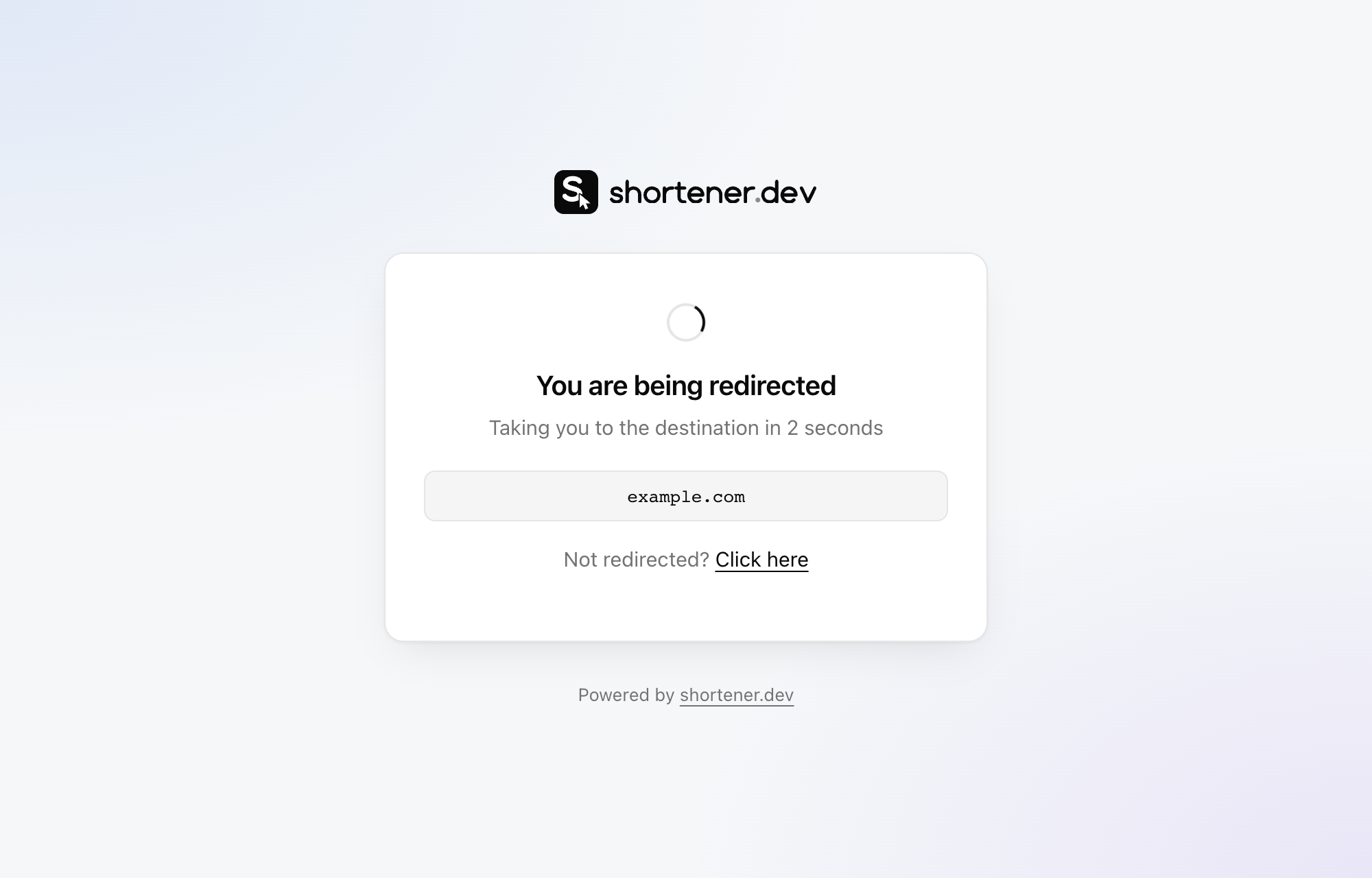
Visitors see where they're going before they get there. That's useful when a short link arrives in a text message or a DM, where people are rightly wary of links that hide their destination. See How to check where a short link goes.
The page has a noindex tag, so search engines don't list short links as pages of their own.
301, 302 and meta refresh compared
| Redirect | What it means | How search engines treat it |
|---|---|---|
301 Moved Permanently | The page moved for good | Pass signals to the new URL and index that one instead |
302 Found | The move is temporary | Keep the original URL in mind, may index either |
| Meta refresh with a delay | An HTML page that navigates after a few seconds | Google treats a delayed refresh as a temporary redirect |
Many shorteners use a 301 or 302 for speed, and their links don't show the visitor anything. Shortener.dev's page adds about 2 seconds before the destination loads, in return for showing visitors the destination first. If you need the fastest possible hop, for example in an ad where every second of load time counts, link to the destination directly and use UTM parameters for tracking.
For what this means for search rankings, see Do short links hurt SEO?
Frequently asked questions
Does Shortener.dev use a 301 or a 302 redirect?
Neither. Shortener.dev shows a redirect page with the destination's domain and forwards the browser after 2 seconds using a meta refresh. The page responds with status 200 and is marked noindex.
How fast is a Shortener.dev redirect?
The lookup runs on Cloudflare's network close to the visitor and takes milliseconds. The visitor then sees the redirect page for 2 seconds before the destination loads.
Are short link back-halves case-sensitive?
No. Back-halves are stored in lowercase, so srt1.link/Spring-Sale and srt1.link/spring-sale are the same link.