Guides
Track Instagram Story link sticker clicks
Instagram counts link sticker taps but can't tell you what happened after, or compare Stories once insights expire. Use one short link per Story frame, read clicks by hour, and keep Highlights apart.
Updated
Instagram shows link sticker taps in a Story's insights, but only for that Story, and it doesn't tell you where those people came from or what they did next. A separate short link per Story frame gives you your own count, with the time, country and device of each tap, and lets you compare Stories side by side long after they disappear.
Set up a link for each Story
- Open Links and click Create Link.
- Paste the page into Original URL.
- Use a back-half with the date and frame, such as
ig-story-1117orig-story-1117-bfor a second frame that day. - In Options, open UTM Builder and set
utm_source=instagram,utm_medium=social,utm_campaignto your campaign andutm_content=story. - Click Create Short Link and copy it.
- In Instagram, add the Link sticker to the Story frame, paste the short link, and set the sticker text.
Use a new short link for every Story you want to measure. Reusing one link across Stories adds their taps together, and you can no longer tell which one worked.
Links to your own website need a verified domain. Instagram, YouTube, Amazon and other common sites are whitelisted and work without verification.
Read the first 24 hours
A Story is live for 24 hours, and most taps happen in the first few. In Analytics, open the link's analytics with View in the Clicks column and choose Last 24h. To see clicks by the hour, open Reports, where every click is listed with its exact time.
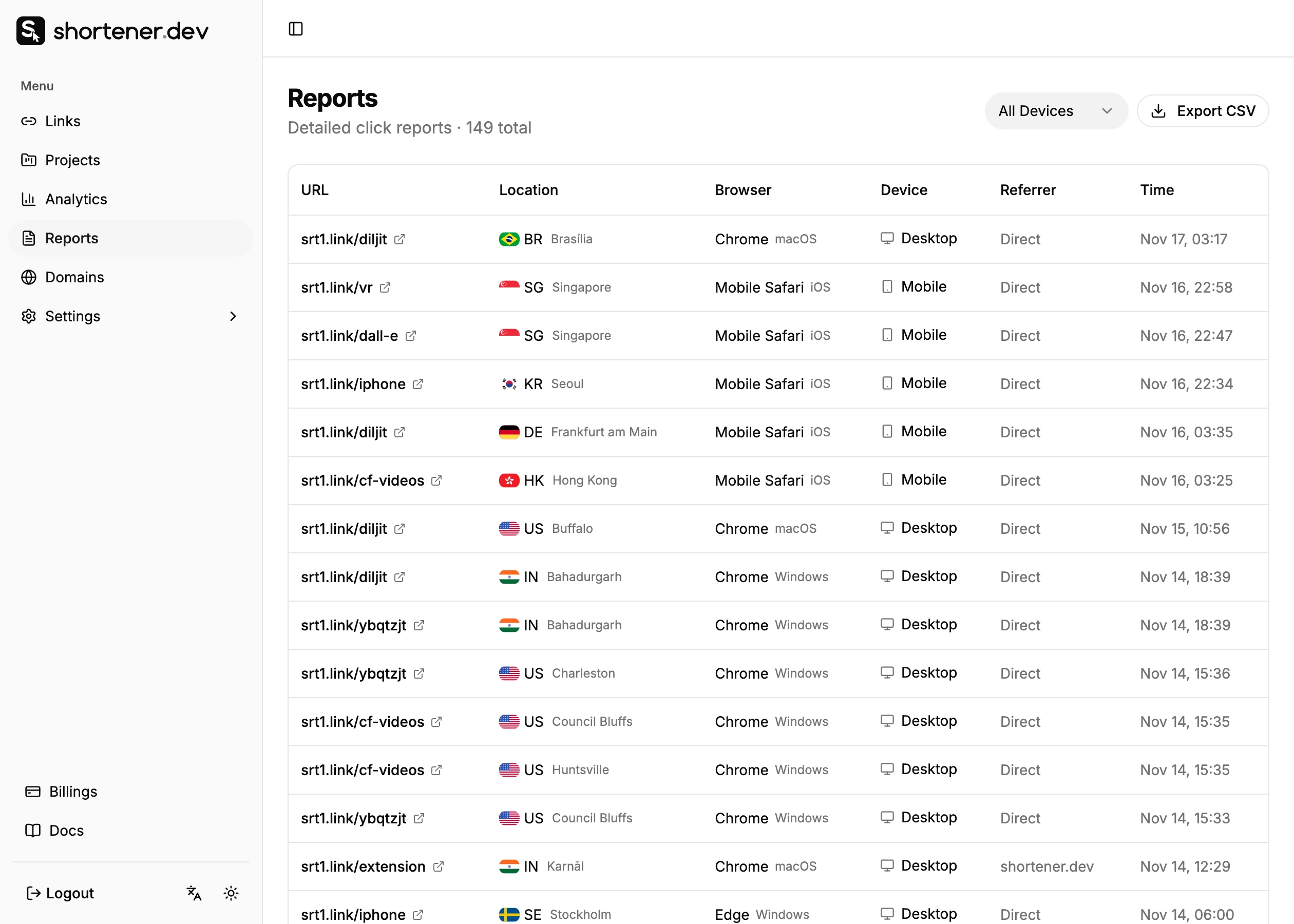
In the reports, clicks from the Instagram app usually show Instagram as the browser and Direct as the referrer, because the in-app browser often sends no referrer. That's normal. See Why social media clicks show as Direct.
Compare sticker taps with clicks
Instagram's sticker taps and Shortener.dev's clicks are counted at different points, so expect them to differ a little:
- A tap counted by Instagram can fail to reach the link if the person closes the in-app browser right away or has no connection.
- One person tapping the sticker twice may count once in Instagram and twice as clicks.
- Instagram's insights are only available for a limited time and only to professional accounts. The short link keeps counting for as long as the link exists, within your plan's analytics history.
Highlights
When you save a Story to a Highlight, its link sticker keeps working, and taps keep arriving on the same short link. Clicks after the first day usually come from the Highlight.
If you want Highlight clicks counted separately from the live Story, post the Story with one link, then after 24 hours, add a new Story with a separate link such as ig-highlight-pricing and save that one to the Highlight.
Close Friends and limited offers
For a Story only some followers should act on, combine the sticker with link options:
- A password that you mention in the Story, so the link is useless if forwarded without it.
- An expiration date at the end of the offer, so the link stops working when the Story's offer ends, including in Highlights.
For the bio and everything else on Instagram
The Instagram link tracker page covers bio links, DMs, ads and creator posts, with a ready list of placements and UTM values. The approach is the same: one short link per place a link appears. See Social media link tracking for the plan across all networks.
Frequently asked questions
Can I see who tapped my Instagram Story link?
Not by name. Instagram shows the number of taps. A short link adds the time, country, city and device of each click. See Can you see who clicked your link?
Why are my Story link clicks lower than sticker taps?
Some people tap and close the in-app browser before the link loads, and Instagram may count taps that never reached the link. A small gap is normal.
Can I change the link on a Story after posting?
Not in Instagram. You can change the destination of the short link in the dashboard, and the sticker starts sending people to the new page.
Does a link in a Reel or post caption work?
Captions aren't clickable on Instagram. People have to type the link, so keep the back-half short, like srt1.link/fall, and point to your bio or a Story instead.