Guides
Bot clicks and link previews, and why click counts don't match
Link previews, email security scanners and crawlers all open short links. Which of them Shortener.dev counts as clicks, how to spot the ones that slip through, and how to read your numbers.
Updated
Not every request to a short link comes from a person. When you paste a link into Slack, WhatsApp or LinkedIn, the app fetches it to build a preview card. When you send it in an email, the recipient's mail server may open it to check for malware before anyone reads the message. Search engines and SEO tools follow links they find on public pages.
Some link tools count all of these as clicks, which is why a campaign can show 40 clicks a minute after it was sent to 30 people. Shortener.dev filters most of them out, but not all, so it helps to know what's left.
What Shortener.dev doesn't count
Every request to a short link carries a user agent, a short string that names the software making it. Before recording a click, Shortener.dev checks the user agent against a maintained list of known bots and crawlers. A request is not counted when:
- It comes from a link preview crawler, such as the ones used by Facebook, WhatsApp, LinkedIn, X, Slack, Discord, Telegram and iMessage.
- It comes from a search engine, SEO crawler, uptime monitor or other self-identified bot.
- It has no user agent at all, which is common for scripts and command line tools.
These requests still get an answer. Preview crawlers receive the link's title, description and image, so the card shows up as usual. They just don't appear in click analytics or Reports.
Visits that never reach the destination aren't counted either: a disabled or expired link, and a password protected link until the visitor enters the right password.
What can still get counted
The filter works on what the request says about itself. Software that presents itself as an ordinary browser is counted like a person. In practice, that's mostly:
- Email security scanners. Services like Microsoft Defender for Office 365, Proofpoint and Mimecast open links in incoming mail to check them. Some use a normal browser user agent, so their visits look like real clicks.
- Antivirus and browser safety features that check a link before the user's browser opens it.
- Automated testing and scraping tools set up to look like a browser.
If you send links to business email addresses, expect some of the early clicks to be scanners.
How to spot scanner clicks
Open Reports and look at the first clicks after a send. Scanner traffic usually has a few of these signs:
- Clicks within seconds of the email going out, before people could have read it.
- Several clicks on every link in the same email, at the same moment.
- Desktop devices in a city where a cloud provider has a data center, rather than where your recipients are.
- The same IP address, or addresses close to each other, across many clicks.
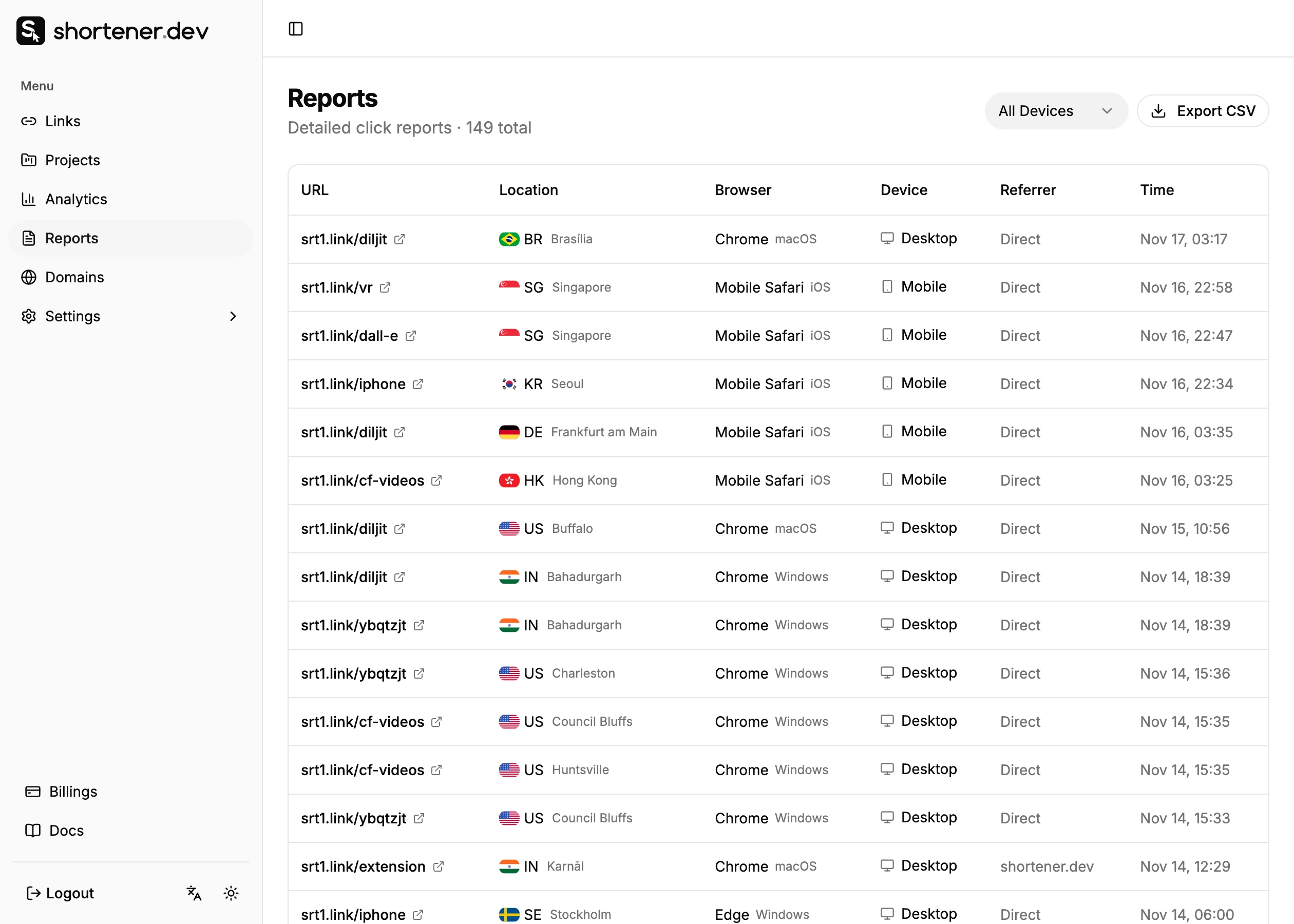
Click a value in Reports, such as a country or a browser, to show only the clicks that match it. Analytics works the same way: click a country, referrer, browser, operating system or device, and every chart and total on the page is filtered to it. View clicks then opens Reports with the same filter.
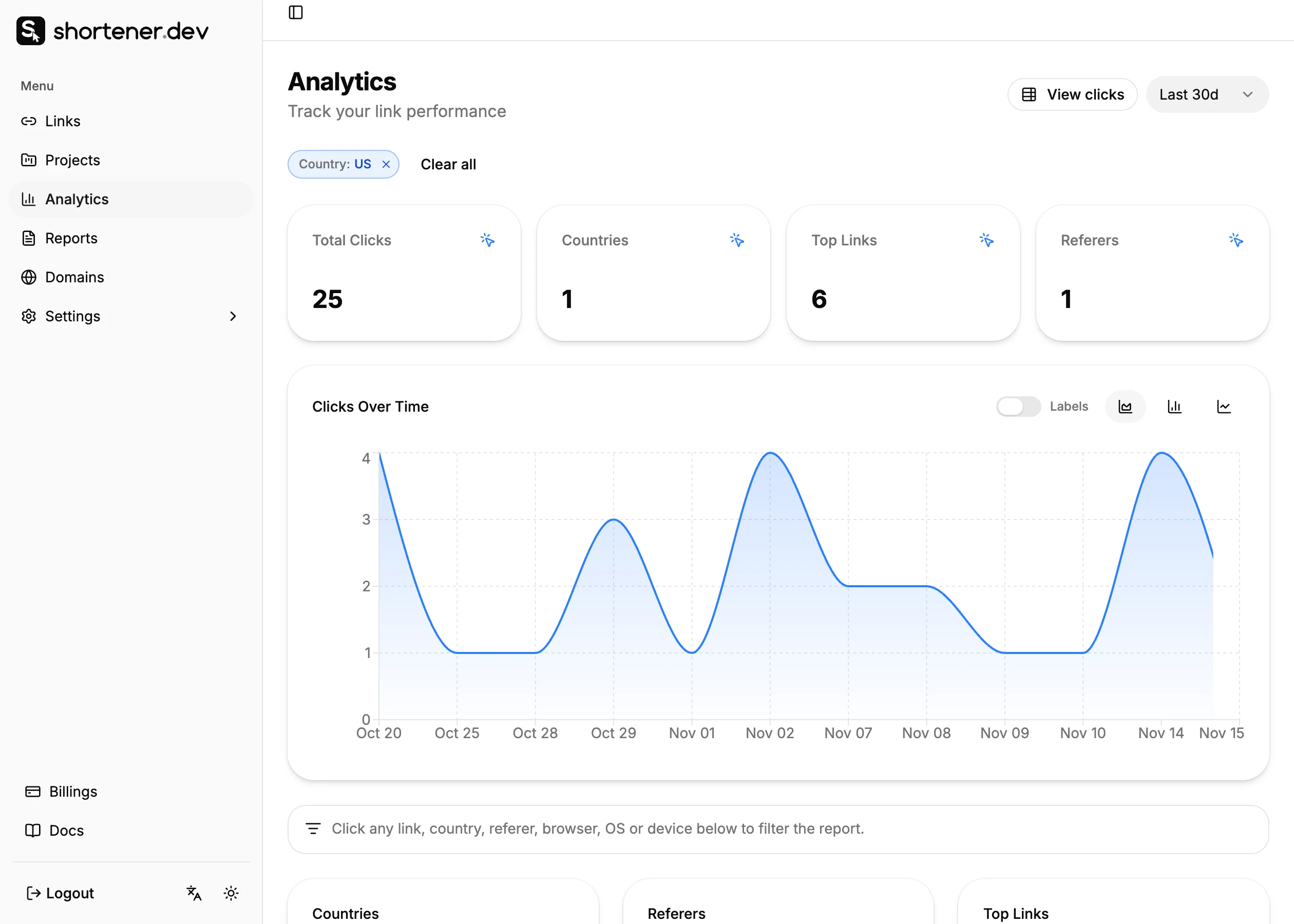
Filtering to a suspicious city or to desktop clicks shows how many clicks it accounts for, and whether they arrived together. The reports API takes the same country, city, referer, browser, os and device filters, which is useful for pulling one group out of a larger export.
Read your numbers with bots in mind
- Compare links sent the same way. If every link in a newsletter gets a burst of clicks in the first minute, that burst is the scanner, and the comparison between links after that is still fair.
- Use a separate short link per channel. Chat apps and social networks mostly send preview crawlers, which are filtered. Email to companies is where scanners show up. Keeping the channels on separate links keeps the scanner clicks in one place. See Social media link tracking.
- Expect your web analytics to show fewer visits than Shortener.dev shows clicks. Google Analytics only counts a visit when its script runs on your page, which scanners usually don't wait for. See Link clicks vs GA4 sessions.
Frequently asked questions
Does a WhatsApp or Slack link preview count as a click?
No. The preview is built by the app's crawler, which identifies itself as a bot, so Shortener.dev doesn't record it.
Why did my link get clicks right after I sent an email?
Most likely the recipients' email security service opened the links to check them. Look for clicks within seconds of the send, on every link in the message, from desktop devices in data center cities.
Can I remove bot clicks from my reports?
Known bots are never recorded, so there is nothing to remove for them. Clicks from scanners that look like browsers are recorded like any other click. You can identify them in Reports and leave them out after you export the click log with Export CSV.
Are my own test clicks counted?
Yes. Opening your link in a browser to check it counts as a click. Test before the campaign starts, or note the number of test clicks so you can subtract them.