Team and API
Create an API key
Create a Shortener.dev API key to create short links and read analytics from your own server, scripts or no-code tools.
An API key lets your code call the Shortener.dev API on behalf of your account. Create a separate key for each place you use it, such as "Production server" or "Zapier", so you can revoke one without breaking the others. API access is included on paid plans.
Create a key
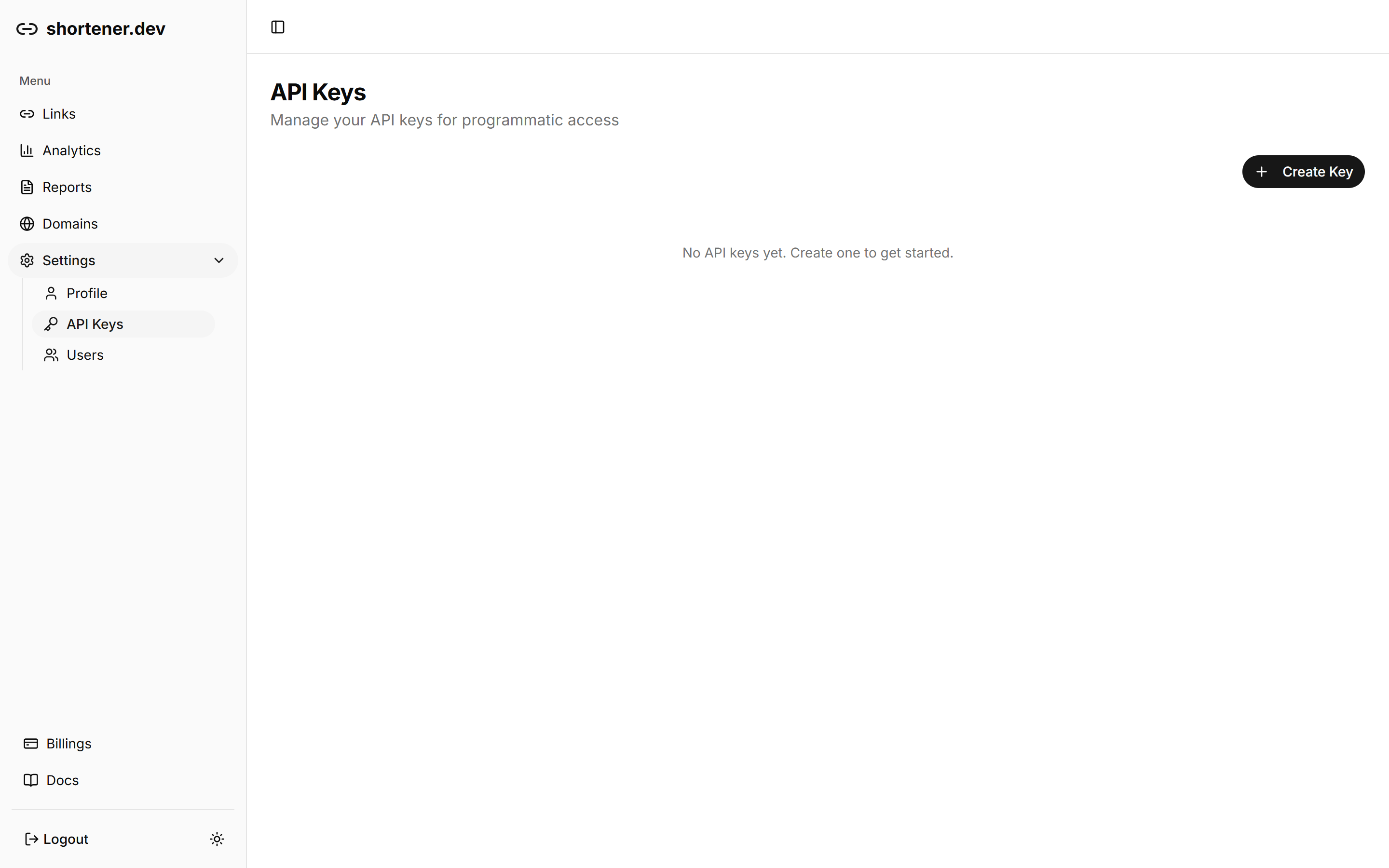
- Open Settings in the sidebar and choose API Keys.
- Click Create Key.
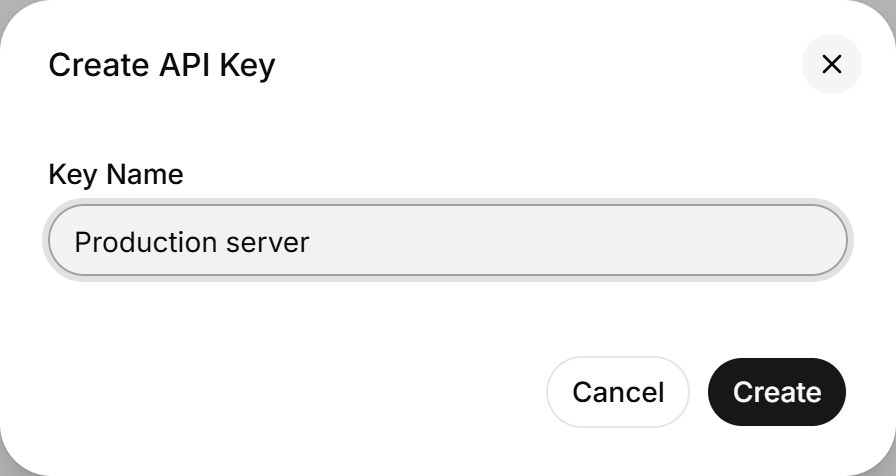
- Enter a Key Name that says where the key is used, for example
Production server. - Click Create.
- Copy the key from Copy your API key and click Done.
The key is shown only once. Store it right away, in your server's environment variables or a secrets manager. If you lose it, delete it and create a new one.
Use the key
Send the key as a bearer token in the Authorization header of every request:
curl https://api.shortener.dev/v1/links \
  -H "Authorization: Bearer $SHORTENER_API_KEY"
A missing, wrong or deleted key returns 401 Unauthorized. Keep keys on the server side. Anyone who sees a key in your website's JavaScript or a public repository can create links in your account.
Delete a key
Click the trash icon next to the key on the API Keys page and confirm with Delete. Requests using that key start failing immediately, so switch your integration to a new key first.