Link options
Redirect visitors by country with geo targeting
Send visitors from specific countries to a localized page, store or currency with one geo-targeted short link.
Geo targeting sends visitors to a different URL based on the country they're in. Share one link in a global campaign, and UK visitors land on your .co.uk store, German visitors on the German page, and everyone else on the Original URL.
Add a country rule
- In the Short Link Builder, open Options and click Geo Targeting.
- Click + Add Country.
- Enter the two-letter country code in the first field and the destination URL for that country in the second.
- Repeat for each country. Click the trash icon to remove a rule.
- Click Create Short Link.
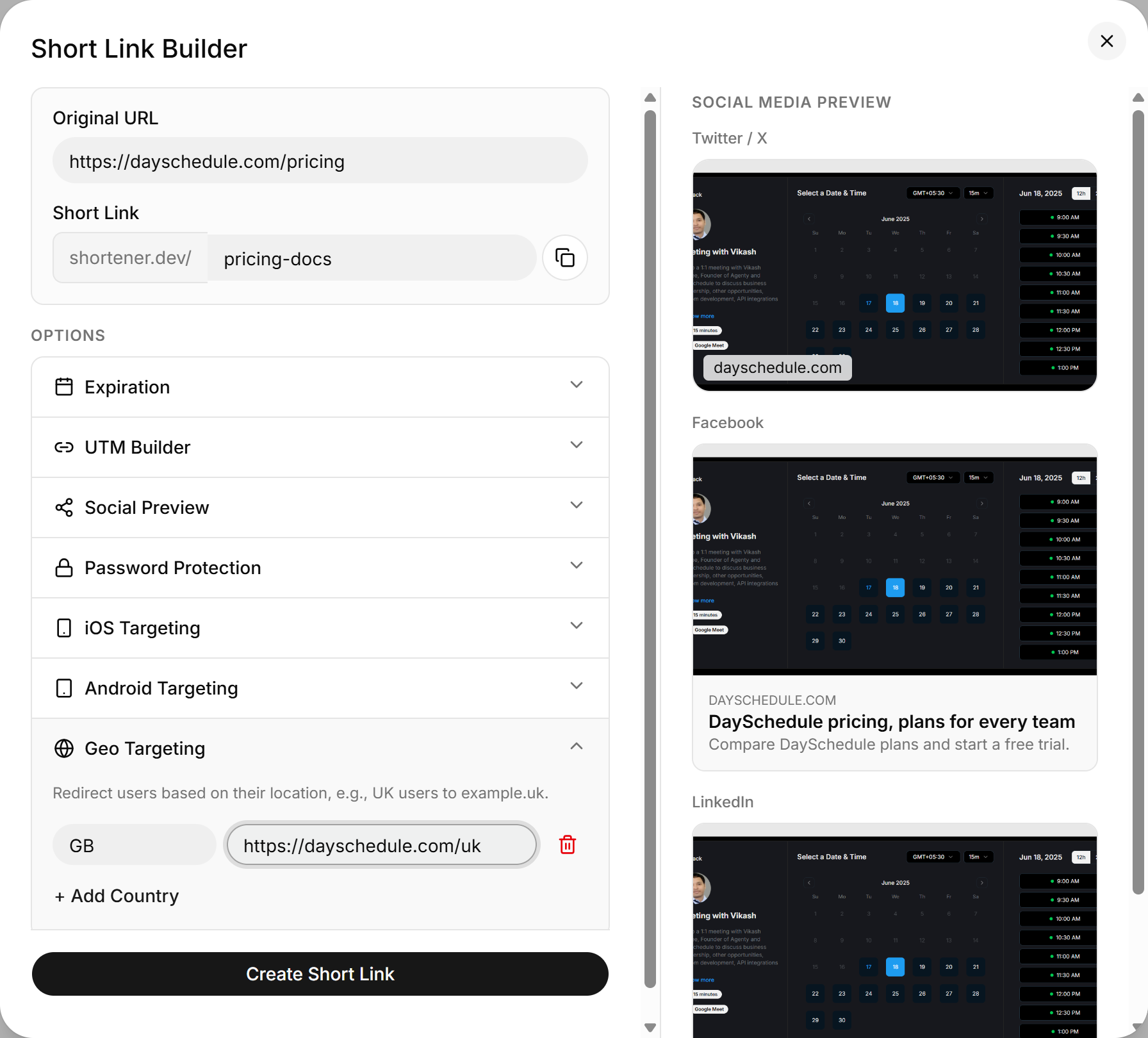
Visitors from countries without a rule go to the Original URL.
Use ISO country codes
Country codes are the two-letter ISO 3166-1 alpha-2 codes. Most are what you'd expect (US, DE, FR, IN, JP), with a few exceptions:
| Country | Code |
|---|---|
| United Kingdom | GB, not UK |
| Switzerland | CH |
| South Korea | KR |
| United Arab Emirates | AE |
You can add rules for up to 195 countries on one link.
Each country URL must be on a verified or whitelisted domain, just like the main destination. If your local sites use a different domain per country, such as example.co.uk and example.de, verify each one.
Check that it works
Look at the Countries list in click analytics after the link has been shared. It shows where clicks come from, so you can confirm your rules cover the countries that matter.
Set geo targeting through the API
{
  "url": "https://example.com/shop",
  "key": "summer-shop",
  "geo": [
    { "country": "GB", "url": "https://example.co.uk/shop" },
    { "country": "DE", "url": "https://example.de/shop" }
  ]
}