Link options
Customize the social media preview of a short link
Set a custom Open Graph title, description and image for a short link, and check how it looks on Twitter / X, Facebook and LinkedIn before you share it.
When you paste a link into a post, Twitter / X, Facebook, LinkedIn and messaging apps show a preview card with a title, a short description and an image. That card usually comes from the destination page's Open Graph tags. If those tags are missing or don't suit the campaign, override them with Social Preview.
Check the preview
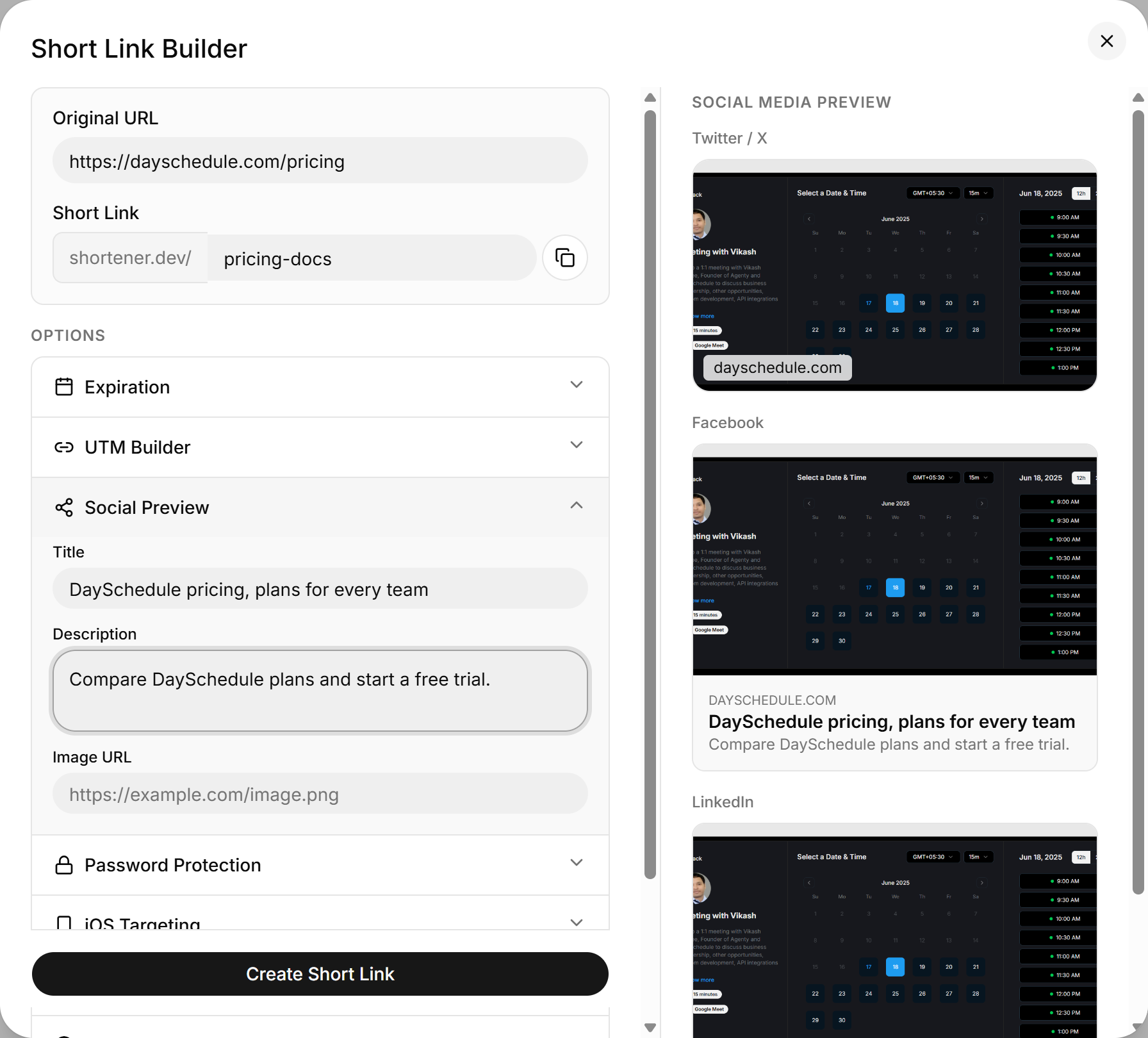
As soon as you enter an Original URL and click out of the field, the Social Media Preview panel on the right of the link builder fills in with the page's current title, description and image. It shows three versions: Twitter / X, Facebook and LinkedIn.
The panel is hidden on narrow screens. Widen the browser window if you don't see it.
Set a custom title, description and image
- In the Short Link Builder, open Options and click Social Preview.
- Fill in Title, Description and Image URL. The preview updates as you type.
- Click Create Short Link.
| Field | Limit |
|---|---|
| Title | 60 characters |
| Description | 155 characters |
| Image URL | Must end with .jpg, .jpeg, .png, .gif, .bmp or .webp |
Any field you leave empty falls back to what the destination page provides.
Image size
Use an image of 1200 x 630 pixels. That size fills the large card on Twitter / X, Facebook and LinkedIn without being cropped awkwardly. Host it on a public URL that doesn't require a login, or the networks can't fetch it.
Social networks cache previews. If you shared the link before setting a custom preview, the old card can stick around for a while. Facebook's Sharing Debugger and LinkedIn's Post Inspector can refresh it.
To check any URL's preview without creating a link, use the free social share preview tool.
Set the preview through the API
{
  "url": "https://example.com/spring",
  "title": "Spring collection, 20% off this week",
  "description": "New arrivals for running, hiking and everyday wear.",
  "image": "https://example.com/images/spring-og.png"
}