Analytics
Track clicks with link analytics
See how many clicks your short links get over time, and which countries, referrers, browsers, operating systems and devices they come from.
The Analytics page shows every click on your short links, broken down by when, where and how people clicked. Use it to see which campaign is working, which channel sends the most traffic, and whether your audience is mostly on mobile.
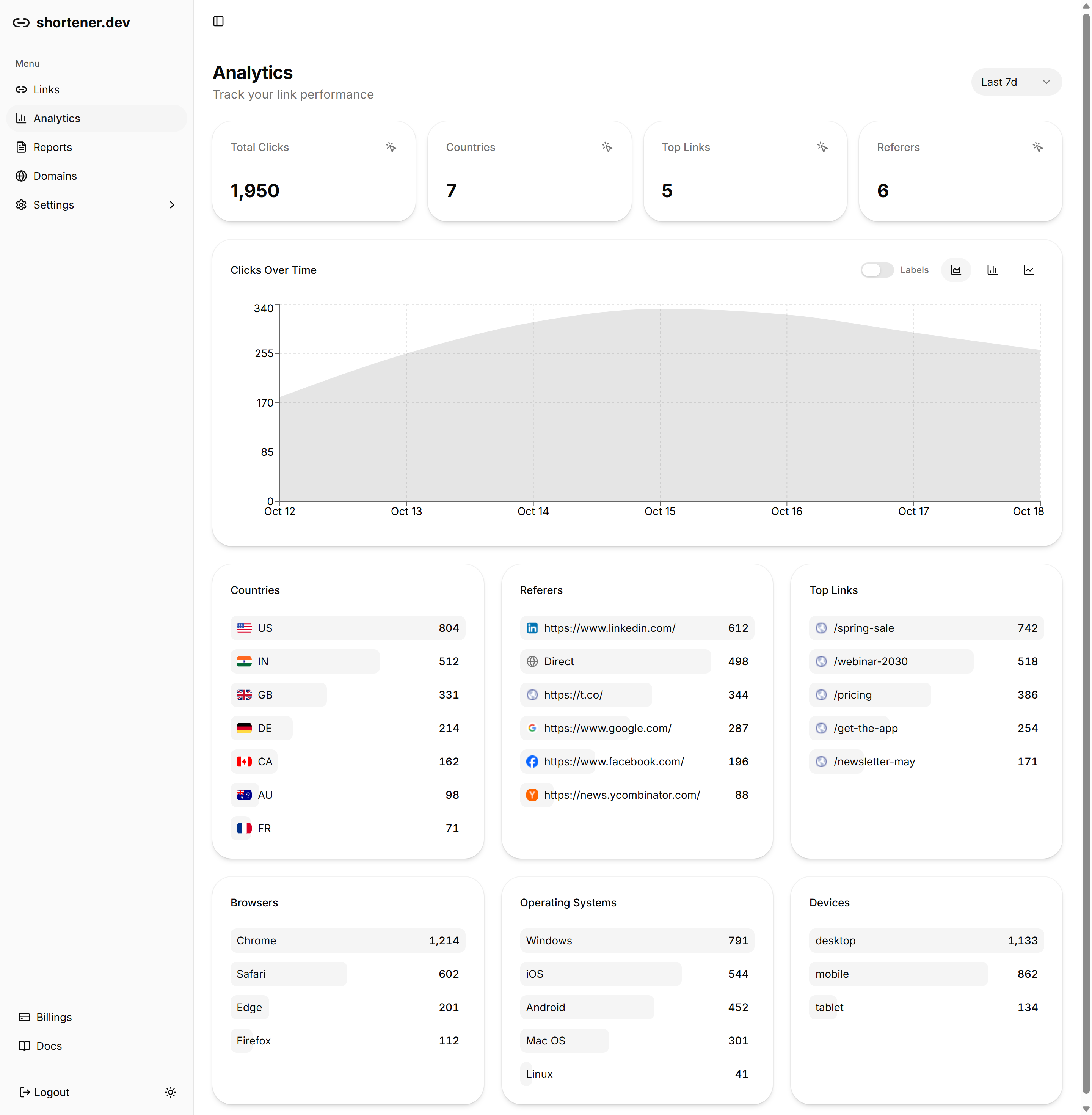
Analytics for all links or one link
Open Analytics from the sidebar to see totals for every link in your account.
To look at a single link, go to Links and click View in the link's Clicks column, or Analytics on its card in grid view. The page title then shows the link's back-half, such as Analytics /spring-sale, and every chart is filtered to that link.
Choose the time range
Use the menu in the top right corner to switch between Last 24h, Last 7d, Last 30d and Last 90d. How far back you can go depends on your plan:
| Plan | Analytics history |
|---|---|
| Free | 7 days |
| Pro | 30 days |
| Business | 60 days |
| Advanced | 90 days |
Ranges longer than your plan's history don't return data. Upgrade on the Billings page to see further back.
Read the reports
The four cards at the top are Total Clicks, the number of Countries and Referers clicks came from, and the number of Top Links that got clicks in the period.
Clicks Over Time charts daily clicks. Use the buttons on the right to switch between an area chart, bar chart and line chart, and turn on Labels to print the number on each day.
Below the chart, each list shows the top entries for one dimension:
- Countries, by the visitor's location
- Referers, the site the click came from. Clicks without a referrer, such as links opened from an app, email client or typed into the address bar, show as Direct.
- Top Links, your most clicked short links
- Browsers, Operating Systems and Devices (desktop, mobile or tablet)
For a click-by-click log, see Click reports.
Get analytics through the API
Every report is available as an endpoint, for example GET /v1/analytics/country?interval=30&url=spring-sale. The url parameter takes the short link or its back-half, and interval is the number of days. See the Analytics section of the API reference.