Link options
Add UTM parameters to a short link
Use the UTM Builder to tag short links with utm_source, utm_medium and utm_campaign, so Google Analytics shows which campaign brought each visitor.
UTM parameters tell Google Analytics, and most other analytics tools, where a visitor came from. Without them, a click from your newsletter and a click from an Instagram bio can both show up as direct traffic. The UTM Builder adds the parameters to the destination URL for you, so the short link stays clean while the page still receives the full tracking string.
Add UTM parameters
- In the Short Link Builder, open Options and click UTM Builder.
- Fill in the fields you need. Empty fields are skipped.
- Click Create Short Link.
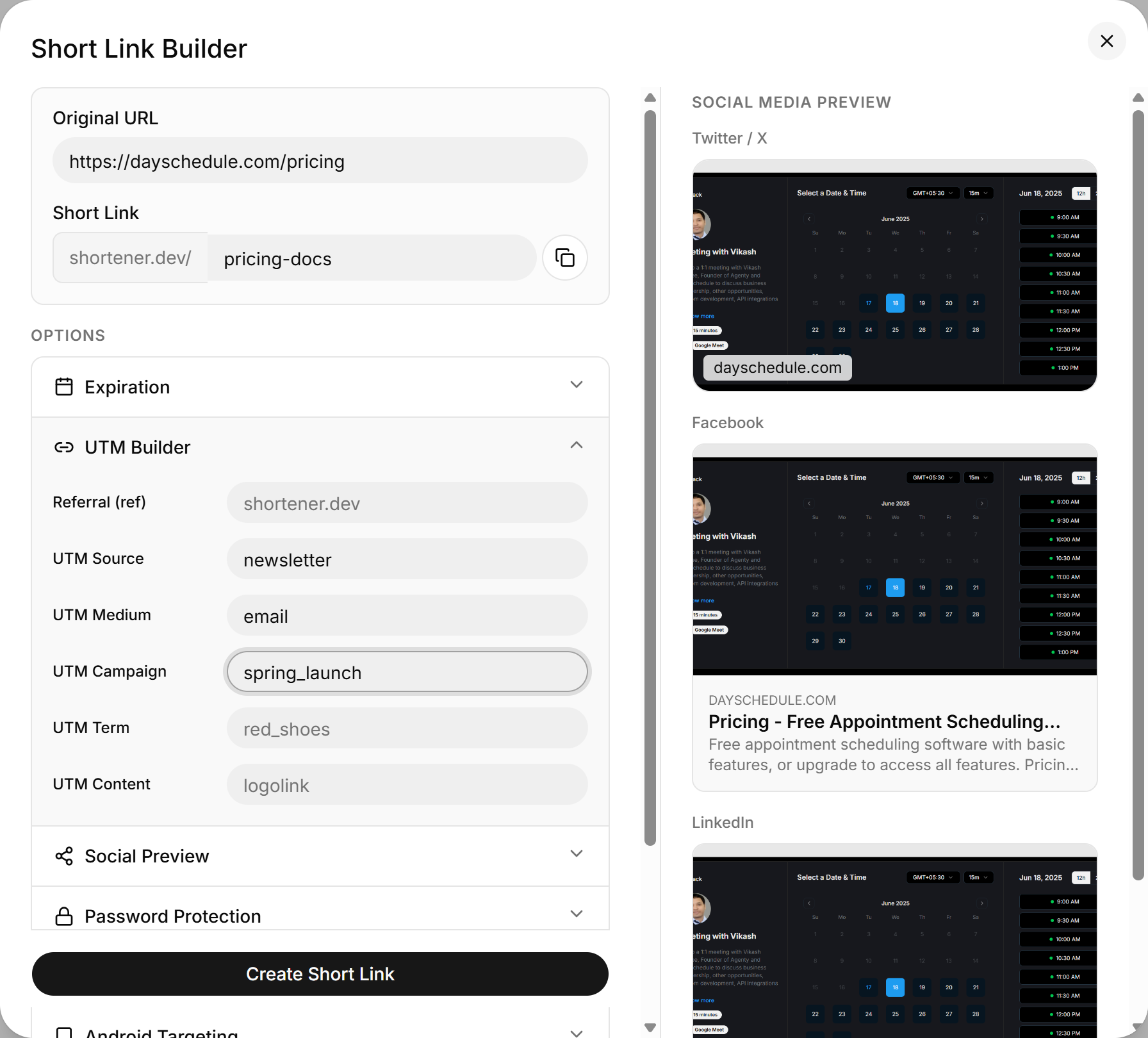
| Field | Parameter | Example |
|---|---|---|
| Referral (ref) | ref | shortener.dev |
| UTM Source | utm_source | newsletter, twitter, instagram |
| UTM Medium | utm_medium | email, social, cpc |
| UTM Campaign | utm_campaign | spring_launch |
| UTM Term | utm_term | running_shoes |
| UTM Content | utm_content | header_button |
With the values above, a visitor who clicks srt1.link/spring-launch lands on a URL like:
https://example.com/spring?utm_source=newsletter&utm_medium=email&utm_campaign=spring_launch
Naming tips
- Stick to lowercase. Google Analytics treats
Emailandemailas two different mediums. - Use the same
utm_campaignvalue on every link in a campaign, and changeutm_sourceper channel. You can then compare channels inside one campaign. - Use
utm_contentto tell apart two links in the same email or page, such as a header button and a footer link.
Send UTM parameters through the API
The params field takes any key and value pairs, so you aren't limited to the six fields in the dashboard:
{
  "url": "https://example.com/spring",
  "key": "spring-launch",
  "params": {
    "utm_source": "newsletter",
    "utm_medium": "email",
    "utm_campaign": "spring_launch"
  }
}
Clicks are also counted in Shortener.dev click analytics, whether or not you add UTM parameters.